Affiliate Disclosure: Some links on this page are affiliate links. When you click on these links and make a purchase, we may receive a commission at no additional cost to you. This helps support our platform. Our recommendations are based on quality and value, not commission rates. Learn more
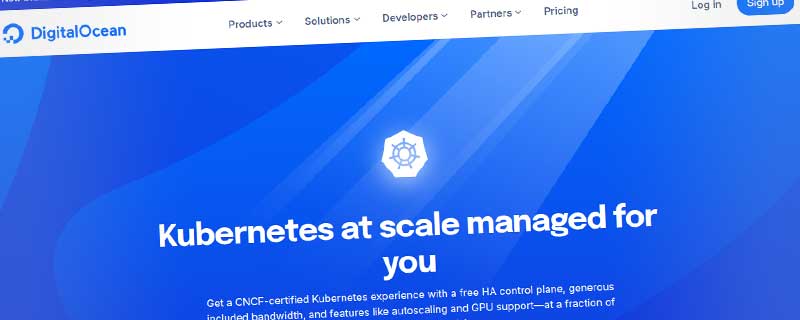
DigitalOcean Managed Kubernetes
Simple, managed Kubernetes service with free control plane and automatic scaling.
DigitalOcean
This resource is developed by DigitalOcean
• 6 resources available
About DigitalOcean Managed Kubernetes
DigitalOcean Managed Kubernetes (DOKS) simplifies container orchestration, providing a production-ready Kubernetes cluster without the operational complexity of managing the control plane. Focus on deploying applications while DigitalOcean handles cluster provisioning, upgrades, security patches, and high availability.
Kubernetes Made Simple
DOKS removes the complexity traditionally associated with Kubernetes. Launch production-ready clusters in minutes through an intuitive control panel or API. The managed control plane is free - you only pay for the worker nodes (Droplets) that run your applications. Automatic updates keep your cluster secure and running the latest stable Kubernetes versions without manual intervention.
Cost-Effective Container Orchestration
Transparent pricing that makes Kubernetes accessible:
• Free control plane - No charges for master nodes or cluster management
• Pay only for worker nodes - Standard Droplet pricing starting at $12/month
• Free bandwidth allowance - 1TB included per month across all nodes
• No hidden fees - Additional bandwidth at $0.01/GB, no egress surprises
• Auto-scaling cost optimization - Scale down during low traffic to reduce expenses
Production-Ready Features
Enterprise-grade capabilities included at no extra cost:
• High availability - Multi-master control plane with automatic failover
• Automatic node health checks - Unhealthy nodes automatically replaced
• Integrated load balancing - Native support for DigitalOcean Load Balancers
• Persistent storage - CSI driver for Volumes block storage integration
• Container registry integration - Seamless deployment from private registries
• Version management - One-click upgrades to latest Kubernetes releases
️ Flexible Node Pool Configuration
Customize your cluster with multiple node pools:
• Mixed workload support - Combine shared and dedicated CPU nodes in one cluster
• Node labels and taints - Direct workloads to appropriate hardware
• Auto-scaling - Automatically add or remove nodes based on pod demand
• Node size variety - Choose from basic, general purpose, CPU-optimized, or memory-optimized Droplets
• Easy resizing - Scale node pools up or down without downtime
Built-in Security
Security features protecting your containerized applications:
• VPC integration - Isolate cluster networking in private Virtual Private Cloud
• RBAC support - Fine-grained role-based access control for team collaboration
• Secret management - Kubernetes secrets for sensitive configuration
• Network policies - Control pod-to-pod communication with Cilium CNI
• Automatic security updates - Control plane and node OS patches applied automatically
• DDoS protection - Enterprise-grade mitigation for cluster endpoints
Developer-Friendly Tools
Seamless integration with your development workflow:
• kubectl access - Download cluster configuration and manage via kubectl CLI
• doctl integration - Manage clusters through DigitalOcean's command-line tool
• Terraform provider - Define and manage clusters as infrastructure code
• Helm support - Deploy applications using Helm charts
• Kubernetes Dashboard - Optional web UI for cluster visualization
• Metrics Server - Built-in resource usage monitoring for pods and nodes
Monitoring and Observability
Comprehensive visibility into cluster health and performance:
• Real-time metrics - Monitor CPU, memory, disk, and network usage per node
• Cluster health dashboard - Overview of node status and pod distribution
• Integration options - Easy setup for Prometheus, Grafana, and ELK stack
• Log aggregation - Collect and analyze container logs centrally
• Alerting - Configure notifications for critical cluster events
Global Availability
Deploy Kubernetes clusters in any DigitalOcean data center worldwide. Position your containerized applications close to users for reduced latency and improved performance. Multi-region deployments enable geographic redundancy and disaster recovery strategies.
Simplified Cluster Management
Eliminate operational overhead with automated management:
• One-click upgrades - Migrate to new Kubernetes versions safely with rolling updates
• Automatic node replacement - Failed nodes removed and replaced automatically
• Backup and restore - Velero integration for cluster state backups
• Certificate rotation - Automatic renewal of cluster certificates
• Addon management - Install monitoring, logging, and ingress controllers easily
Persistent Storage Options
Reliable storage for stateful applications:
• Block storage - DigitalOcean Volumes as persistent volume claims
• Dynamic provisioning - Automatic volume creation when pods request storage
• Storage classes - Define performance characteristics for different workloads
• Volume snapshots - Backup and restore persistent data
• ReadWriteMany support - Network File Storage for shared volumes
Ideal Use Cases
DOKS excels for modern cloud-native applications:
• Microservices architectures - Deploy and orchestrate distributed applications
• CI/CD pipelines - Run containerized build and test environments
• Batch processing - Execute jobs with Kubernetes Jobs and CronJobs
• Machine learning - Train models on GPU-enabled node pools
• Multi-tenant SaaS - Isolate customer workloads with namespaces
• Hybrid applications - Mix stateless and stateful services seamlessly
• Development environments - Provide developers with isolated namespaces
Ecosystem Integration
Compatible with the entire cloud-native ecosystem:
• Ingress controllers - Deploy NGINX, Traefik, or Istio for traffic routing
• Service mesh - Implement Linkerd or Istio for advanced networking
• GitOps workflows - Integrate with Flux or ArgoCD for declarative deployments
• Container registries - Pull images from DockerHub, GitHub, or DigitalOcean Registry
• Monitoring stacks - Install Prometheus, Grafana, Datadog, or New Relic
Learning and Support
Extensive resources help teams adopt Kubernetes successfully. DigitalOcean provides detailed documentation, tutorials, and quickstart guides. Community forums offer peer support. Professional support plans available for production clusters requiring guaranteed response times and architectural guidance. Migration assistance helps teams transition from other Kubernetes platforms.
ℹ️ Information Accuracy Notice
While we strive to keep all information about this resource accurate and up-to-date, details such as pricing, features, and availability may change. We encourage you to always verify the information directly on the official website before making any decisions or purchases. Our goal is to help you discover great tools, not to misrepresent any products or services.
DigitalOcean Managed Kubernetes Features
Detailed specifications and capabilities of this resource.
Compute Power
RAM
Storage
Storage Type
Bandwidth
Scalability
Load Balancing
High Availability
CDN Included
Backups
Snapshot Support
Server Locations
Virtualization Type
Root Access
OS Options
Control Panel
Auto Scaling
Monitoring Tools
API Access
Security Features
Expert Rating
Expert rating based on features, performance, and value
Pros & Cons
Pros
Cons
Do you recommend DigitalOcean Managed Kubernetes?
Related Resources
AWS EC2
Secure and resizable cloud compute with 1,000+ instance types, auto-scaling, and enterprise-grade reliability

Vercel Hosting
Leading frontend cloud platform for Next.js, React, Vue deployments with zero-configuration, global edge network, automatic scaling, and serverless functions. Created by Next.js team.
Kinsta Application Hosting
Modern cloud hosting platform for web applications with automatic scaling
Resource Information
- Category
- Cloud Hosting
- Brand
- DigitalOcean
- Pricing
- PAID
- Last Updated
- 2026-01-13Recently