Affiliate Disclosure: Some links on this page are affiliate links. When you click on these links and make a purchase, we may receive a commission at no additional cost to you. This helps support our platform. Our recommendations are based on quality and value, not commission rates. Learn more
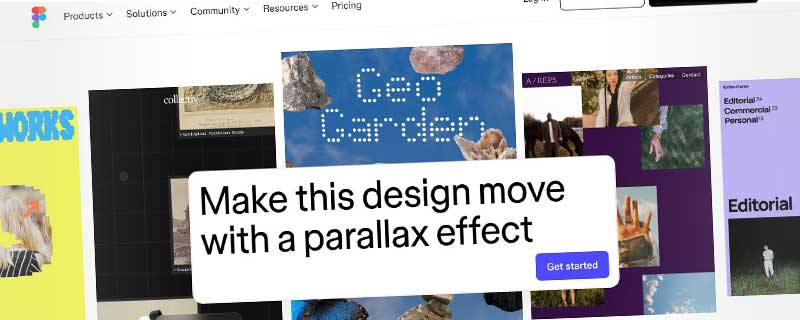
Figma Design Editor
Collaborative interface and product design tool.
Figma
This resource is developed by Figma
About Figma Design Editor
Overview
Figma is the world's leading collaborative design platform that brings together designers, developers, and stakeholders to create, prototype, and ship products faster. Trusted by global companies like Airbnb, Microsoft, Netflix, Dropbox, Zoom, and Spotify, Figma has revolutionized how teams design by enabling real-time collaboration in the browser without the need for file versioning or local software installations.
What sets Figma apart is its multiplayer collaboration that works like Google Docs for design—multiple team members can work simultaneously in the same file, seeing each other's cursors and changes in real time. This eliminates the traditional design workflow bottlenecks of file sharing, version conflicts, and delayed feedback cycles.
Figma combines powerful professional design tools with accessibility, making it equally suitable for expert designers and beginners. The platform is entirely cloud-based and works seamlessly across Windows, Mac, Linux, and Chromebook through any modern web browser, with dedicated desktop apps for enhanced performance.
Real-Time Collaborative Design
Figma's collaboration features redefine how design teams work together:
- Multiplayer Editing: Multiple designers work simultaneously in the same file with live cursor presence and instant updates
- Commenting & Feedback: Stakeholders leave contextual comments directly on designs without needing edit access
- Observation Mode: Follow a teammate's cursor to see exactly what they're working on in real time
- Live Presentations: Share your screen within Figma to present designs with interactive prototypes
- Version History: Automatic saves create a complete timeline of changes, allowing you to restore any previous state
- Branching & Merging: Create branches to explore design variations, then merge approved changes back into the main file
- Team Libraries: Share components, styles, and assets across projects and teams for consistent design systems
Professional Design Tools
Figma provides industry-leading design capabilities:
- Vector Editing: Professional pen tool and vector networks for creating complex shapes and illustrations
- Auto Layout: Responsive components that automatically adapt to content changes, mimicking CSS flexbox
- Components & Variants: Create reusable design elements with multiple states and properties
- Variables & Tokens: Define design tokens for colors, spacing, and typography that update across entire projects
- Smart Selection: Intelligent tools for aligning, distributing, and organizing layers
- Boolean Operations: Combine shapes using union, subtract, intersect, and exclude operations
- Constraints: Define how elements resize and reposition in responsive layouts
- Grid Systems: Flexible grid layouts with columns, rows, and guides for precise alignment
- Blend Modes & Effects: Layer blend modes, shadows, blurs, and advanced effects
- OpenType Support: Advanced typography with variable fonts and OpenType features
Interactive Prototyping
Create high-fidelity prototypes without leaving the design canvas:
- No-Code Interactions: Build realistic prototypes using visual flow connections between frames
- Advanced Triggers: Click, hover, drag, key press, and time-based triggers for interactions
- Smart Animate: Automatic animations between matching layers in different frames
- Easing & Timing: Fine-tune animation curves and durations for polished motion
- Overlays & Modals: Create realistic popup behaviors and modal interactions
- Device Frames: Preview prototypes in realistic device contexts (iPhone, Android, desktop)
- Interactive Components: Build components with interactive variants for buttons, dropdowns, and complex UI
- User Testing: Share prototype links for remote usability testing and feedback
Design Systems at Scale
Build and maintain comprehensive design systems:
- Shared Libraries: Publish components and styles that sync across unlimited team files
- Component Properties: Define custom properties for flexible component configurations
- Variants: Group related components (buttons, icons) into organized variant sets
- Theming: Support multiple themes (light/dark mode) with variable collections
- Documentation: Add descriptions and usage guidelines directly to components
- Library Analytics: Track component usage and adoption across your organization
- Atomic Design: Build scalable systems from atoms to organisms to templates
- Token Architecture: Semantic design tokens that cascade through your entire system
Developer Handoff (Dev Mode)
Figma's Dev Mode provides everything developers need to implement designs:
- Inspect Designs: View measurements, colors, typography, and layout properties
- Code Snippets: Auto-generated CSS, iOS (Swift/SwiftUI), and Android (Kotlin/Compose) code
- Asset Export: Download production-ready assets at multiple resolutions (1x, 2x, 3x)
- Redlines & Specs: Automatic spacing and alignment annotations
- Component Status: Mark designs as "Ready for dev" with implementation notes
- Compare Modes: See what changed between design versions
- Figma MCP Server: Bring Figma context directly into agentic coding tools
- Plugin API: Build custom tools for design-to-code workflows
FigJam: Collaborative Whiteboarding
Included with all Figma plans, FigJam is an online whiteboard for team collaboration:
- Brainstorming: Sticky notes, diagrams, flowcharts, and freehand drawing
- Diagramming: Create user flows, sitemaps, and process diagrams
- Workshops: Facilitate remote design sprints and ideation sessions
- Templates: Pre-built templates for retrospectives, planning, and research
- Voting & Timers: Built-in facilitation tools for workshop activities
- Figma Integration: Embed Figma designs directly into FigJam boards
- Audio & Reactions: Voice chat and emoji reactions for async collaboration
Figma Slides: Presentation Tool
Create beautiful presentations with design-quality layouts:
- Design-First Slides: Use Figma's design tools to create pixel-perfect presentations
- Live Embeds: Include interactive Figma prototypes and FigJam boards in slides
- Presenter View: Speaker notes and timing controls for professional presentations
- Templates: Pre-designed presentation templates for various use cases
- Collaboration: Real-time co-editing on presentations with your team
- Share & Present: Present live or share as view-only links
Figma Draw: Creative Expression
Illustrate with a comprehensive set of creative tools:
- Brush Library: Diverse brush types for sketching, painting, and illustration
- Textures: Add depth and richness to your artwork with texture overlays
- Text on Path: Flow text along curves and custom paths
- Pressure Sensitivity: Full tablet support for natural drawing experience
- Layer Blending: Advanced blend modes for artistic compositions
- Non-Destructive: All effects remain editable and adjustable
AI-Powered Features
Figma integrates artificial intelligence to accelerate design workflows:
- AI Asset Search: Natural language search to find components and layers
- Content Generation: AI-generated placeholder text and images
- Auto Layout Suggestions: AI recommends responsive layout improvements
- Design Suggestions: Smart recommendations based on design best practices
- AI Prototyping: Automatically animate between design states
- Figma Make (NEW): Prompt-to-code AI for building functional interfaces
Plugins & Integrations
Extend Figma with thousands of community and partner integrations:
- 10,000+ Plugins: Automate workflows, import content, and add new capabilities
- Popular Plugins: Unsplash (free images), Iconify (millions of icons), Contrast (accessibility checking)
- Widgets: Interactive elements for files (polls, calendars, task trackers)
- Developer API: Build custom plugins with JavaScript and REST API
- Integration Partners: Slack, Microsoft Teams, Asana, Jira, Notion, and 150+ tools
- Version Control: GitHub, GitLab integration for design-code synchronization
- Analytics: Connect to Amplitude, Mixpanel for product analytics
Community & Resources
Access the world's largest design community:
- Community Files: Thousands of free templates, UI kits, and wireframes
- Design Systems: Production-ready systems from top companies (Material Design, IBM Carbon)
- Icon Libraries: Comprehensive icon sets from Font Awesome, Heroicons, and more
- Education: Free courses, tutorials, and certification programs
- Templates: Mobile apps, websites, presentations, and design system starters
- Best Practices: Expert guidance on design systems, accessibility, and workflows
Enterprise Features
For large organizations, Figma provides advanced capabilities:
- SSO & SAML: Single sign-on with Okta, OneLogin, Azure AD
- SCIM Provisioning: Automated user management and seat assignment
- Advanced Permissions: Granular access controls at organization, team, and project levels
- Private Plugins: Build and deploy internal plugins for your organization only
- Dedicated Support: Priority support with account managers and SLAs
- 99.9% Uptime SLA: Enterprise-grade reliability guarantees
- Audit Logs: Comprehensive activity tracking for security and compliance
- Data Residency: Choose where your data is stored geographically
Performance & Reliability
Figma is built for speed and reliability:
- WebGL Rendering: GPU-accelerated rendering for smooth performance with massive files
- Infinite Canvas: Work with thousands of artboards without performance degradation
- Auto-Save: Changes save continuously—never lose work again
- Offline Mode: Desktop apps support offline editing with sync when reconnected
- Fast Loading: Optimized file format loads designs almost instantly
- Cloud Infrastructure: Global CDN ensures fast access worldwide
Pricing & Value
Figma offers transparent, scalable pricing for teams of all sizes:
- Free Starter Plan: Unlimited drafts, 150 AI credits/day, basic design and prototyping tools—perfect for personal projects and trying Figma
- Professional Plan: $12/month per editor (Dev seat) or $16/month (Full seat with Design tools), unlimited files and projects, team libraries, advanced prototyping, Dev Mode, 3,000 monthly AI credits
- Organization Plan: $25/month (Dev seat) or $55/month (Full seat) billed annually, unlimited teams, shared libraries, admin tools, advanced security, 3,500 monthly AI credits
- Enterprise Plan: $35/month (Dev seat) or $90/month (Full seat) billed annually, custom workspaces, design system APIs, SCIM management, SSO/SAML, dedicated support, 4,250 monthly AI credits
- Free Education: Figma is completely free for students and educators with verified .edu email addresses
- Viewer Access: Unlimited free viewers can comment and inspect designs on all plans
Who Should Use Figma
Figma is ideal for:
- UI/UX Designers: Industry-standard tool for interface design with best-in-class prototyping
- Product Teams: Collaborate across design, product, and development with shared context
- Design System Teams: Build and maintain scalable design systems for multiple products
- Remote Teams: Real-time collaboration eliminates geographic barriers
- Agencies: Manage multiple clients with team organization and branded templates
- Developers: Dev Mode provides everything needed to implement designs accurately
- Startups: Free plan offers professional features without upfront costs
- Enterprises: Scale design operations across thousands of users with advanced governance
- Educators: Teach modern design workflows with industry-standard tools
With its combination of professional design capabilities, seamless real-time collaboration, comprehensive developer handoff, AI-powered features, and extensive community resources, Figma has become the industry standard for modern design teams. Whether you're a solo designer, a startup, or a global enterprise, Figma provides the tools and scalability to bring your ideas to life.
ℹ️ Information Accuracy Notice
While we strive to keep all information about this resource accurate and up-to-date, details such as pricing, features, and availability may change. We encourage you to always verify the information directly on the official website before making any decisions or purchases. Our goal is to help you discover great tools, not to misrepresent any products or services.
Figma Design Editor Features
Detailed specifications and capabilities of this resource.
Platform Compatibility
Storage Limit
Mobile App
Desktop App
Prototyping
Web App
Real-Time Collaboration
Cloud-Based
Offline Mode
Vector Editing
Interactive Prototypes
Design Systems
Component Libraries
Variables & Tokens
Auto Layout
Responsive Design
Grid Systems
Branching & Merging
Commenting
Code Export
Expert Rating
Expert rating based on features, performance, and value
Pros & Cons
Pros
Cons
Do you recommend Figma Design Editor?
Resource Information
- Category
- UI/UX Design
- Brand
- Figma
- Pricing
- FREEMIUM
- Last Updated
- 2026-01-13Recently