Affiliate Disclosure: Some links on this page are affiliate links. When you click on these links and make a purchase, we may receive a commission at no additional cost to you. This helps support our platform. Our recommendations are based on quality and value, not commission rates. Learn more
Framer
VerifiedAI-powered website builder with visual design, CMS, and built-in analytics for creating professional sites without code

Framer
This resource is developed by Framer
About Framer
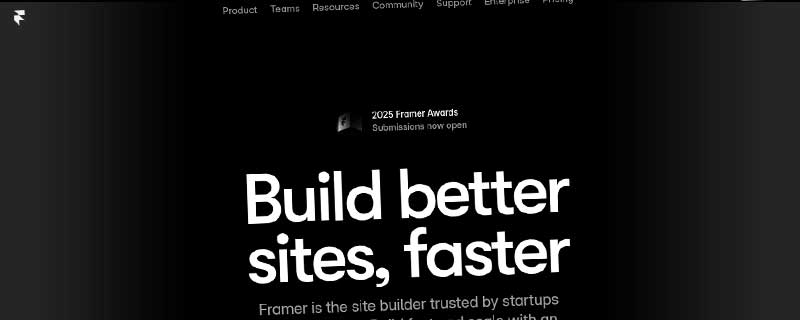
Framer is an AI-powered visual website builder designed for designers, marketers, and ambitious teams who need to create professional websites without writing code. Launched as a complete no-code platform, Framer has evolved from its origins as a prototyping tool into a comprehensive website builder serving over 200,000 teams worldwide, including design teams at Miro, Flighty, and numerous startups and agencies.
The platform distinguishes itself through its designer-first approach, combining visual freedom with production-ready performance. Unlike traditional website builders that force users into rigid templates, Framer provides true design flexibility while automating the technical complexities of hosting, performance optimization, and deployment.
AI-Powered Design Tools
Framer's AI capabilities represent a fundamental shift in how websites are created. The AI Website Generator eliminates the intimidation of blank canvases by generating complete page layouts and sophisticated components in seconds, allowing designers to start with AI-generated foundations and refine from there rather than building from scratch.
Wireframer, Framer's AI wireframing tool, transforms simple text descriptions into structured website layouts instantaneously. Describe your desired page structure ("a portfolio homepage with hero section, project grid, and testimonials") and Wireframer generates a complete wireframe that serves as the perfect starting point for visual refinement.
The AI doesn't stop at initial generation. Throughout the design process, AI assists with content writing, image generation, and component creation. This integration means designers spend less time on repetitive tasks and more time on creative decisions that differentiate their sites.
Visual Design System
Framer's visual editor provides complete design control without requiring developers. The canvas-based interface feels familiar to designers coming from Figma or Sketch, but outputs production-ready websites rather than static mockups.
Core design capabilities:
- Responsive Breakpoints: Design layouts optimized for desktop, tablet, and mobile with independent styling at each breakpoint
- Component System: Create reusable components with variants, properties, and composition hierarchies
- Effects Library: Add parallax scrolling, scroll-triggered animations, and hover effects visually
- Interactions: Build sophisticated interactions with visual state management and timing controls
- Design Tokens: Manage colors, typography, and spacing through centralized design systems
The design system extends beyond basic styling. Framer supports advanced layout techniques including CSS Grid, Flexbox, and Auto Layout inspired by design tools but compiled to optimized production CSS. Designers achieve pixel-perfect layouts without understanding underlying CSS complexities.
Built-in CMS
Framer's integrated Content Management System transforms static designs into dynamic, content-driven websites. The CMS eliminates dependencies on external services like WordPress or Contentful, keeping content management within the same interface used for design.
CMS architecture:
- Collections: Create structured content types (blog posts, team members, products, case studies) with custom fields
- Relational Data: Link collections together (authors to posts, categories to products) for sophisticated content structures
- Dynamic Pages: Generate unlimited pages automatically from CMS content without manual duplication
- Live Editing: Content editors update copy, images, and data directly on the published site without entering a separate admin panel
- Filtering & Sorting: Build dynamic lists with filters, search, and pagination completely visually
Free plans include 10 CMS collections with 1,000 items, while paid plans scale from 1 collection on Basic to unlimited collections on Scale tier. This flexibility supports everything from simple marketing sites to complex content platforms.
Performance and Hosting
Framer handles all hosting infrastructure automatically, deploying sites to a global CDN with 20+ edge locations for sub-100ms response times worldwide. The platform's performance optimizations happen transparently without requiring configuration.
Every site benefits from:
- Automatic Image Optimization: WebP conversion, responsive sizing, and lazy loading implemented automatically
- Code Splitting: JavaScript bundles split per-page to minimize initial load times
- Edge Caching: Static assets cached globally with intelligent cache invalidation
- Free SSL/TLS: Automatic certificate provisioning and renewal for all custom domains
- HTTP/2 & HTTP/3: Modern protocols enabled by default for faster connections
Lighthouse performance scores typically exceed 90 out of 100 without manual optimization. This production-grade performance rivals custom-coded sites while requiring zero infrastructure management.
SEO Capabilities
Search engine optimization operates at multiple levels. Framer provides granular SEO controls per page including title tags, meta descriptions, Open Graph images, and structured data. The visual SEO editor shows exactly how pages appear in search results and social media shares.
Technical SEO features:
- Auto-generated Sitemaps: XML sitemaps update automatically as pages are added or modified
- Canonical URLs: Prevent duplicate content issues with proper canonical tag management
- Redirects: Configure 301 and 302 redirects for site migrations and URL restructuring
- robots.txt: Control search engine crawling with customizable robots.txt files
- Schema Markup: Add structured data for rich snippets in search results
The platform generates semantic HTML automatically, ensuring accessibility and search engine compatibility without requiring SEO expertise from designers.
Analytics and Insights
Integrated analytics eliminate dependencies on Google Analytics or third-party tracking platforms. Framer Analytics provides privacy-focused insights without compromising user experience with consent banners or cookie warnings.
Scale tier includes advanced analytics with:
- Events Tracking: Monitor custom interactions like button clicks, form submissions, and video plays
- Conversion Funnels: Visualize user journeys from landing to conversion
- UTM Parameter Tracking: Attribute traffic to specific marketing campaigns
- Extended History: Access historical data beyond the standard 30-day window
A/B Testing
Run experiments directly within Framer without external testing platforms. The A/B Testing add-on (available on Scale tier) enables multivariate testing with real-time results tracking. Create variant pages, split traffic, and measure conversion differences all within the same interface used for design and content management.
Tests integrate with Framer's analytics system, correlating experiment results with broader traffic patterns and conversion metrics. This integrated approach provides clearer insights than disconnected testing tools.
Collaboration Features
Team collaboration operates at two levels. Design collaboration allows multiple editors to work simultaneously on the canvas with real-time cursor presence and live updates. Changes sync instantly without manual saves or merge conflicts.
Content collaboration enables non-designers to edit copy, swap images, and update CMS data directly on published pages. This editorial workflow means content teams update marketing sites without involving designers for every text change.
Role-based permissions control who can design, edit content, or publish changes:
- Owner: Full access to design, content, billing, and workspace management
- Editor: Design, publish, and manage content across all projects
- Content Editor: Update text and images without design permissions
- Viewer: Preview projects without edit capabilities
Template Marketplace
Framer's marketplace offers hundreds of professional templates across categories including portfolios, marketing sites, SaaS landing pages, e-commerce stores, and agency showcases. Templates provide starting points that can be fully customized while maintaining design quality.
Beyond templates, the marketplace includes:
- Components: Pre-built elements like image sliders, video players, and navigation menus
- Plugins: Integrations with Notion, Google Sheets, Airtable, and other data sources
- Code Overrides: Custom functionality packages for specific interactions
Many marketplace items are free, while premium templates typically cost €29-99 as one-time purchases.
Localization
Multi-language websites are supported through the Locales system, which manages translated content across different language variants. The AI-powered translation feature generates initial translations that can be refined manually.
Free plans include 2 locales for experimentation. The Pro plan supports up to 2 production locales with additional locales available at €20/month each. Scale tier includes custom locale regions for optimizing content delivery by geographic location.
E-commerce Integration
While Framer doesn't provide native payment processing, it integrates with Shopify, Gumroad, and Stripe through plugins and custom code. This hybrid approach works well for content-first businesses selling digital products or maintaining small product catalogs.
For comprehensive e-commerce with inventory management, checkout flows, and customer accounts, external platforms remain necessary. However, Framer excels at creating high-converting product landing pages and marketing sites that link to external storefronts.
Developer Experience
Despite being a no-code builder, Framer accommodates developers through custom code capabilities. React developers can write custom components in TypeScript, accessing Framer's component API for advanced interactions.
Technical extensibility:
- Code Overrides: Modify component behavior with JavaScript/TypeScript functions
- Custom Components: Build React components that appear in the visual editor alongside built-in components
- API Access: Query CMS data programmatically through REST API
- Webhooks: Trigger external systems when content changes
- Git Integration: Sync designs to Git repositories for version control
This programmability bridges the gap between visual design and custom functionality, enabling sophisticated websites without abandoning the visual editing experience.
Pricing Structure
Framer's pricing scales from free personal sites to enterprise-grade plans with custom limits. All prices shown are monthly when billed annually; monthly billing costs approximately 20% more.
Free Plan: €0/month
- Unlimited pages on Framer subdomain (yoursite.framer.website)
- 10 CMS collections with 1,000 total items
- 5MB file upload limit
- 1 free locale for trying translations
- Up to 3 editors for collaboration
- Perfect for non-commercial projects, portfolios, and exploring Framer
Basic Plan: €10/month
- Custom domain support
- 30 pages maximum
- 1 CMS collection with 1,000 items
- 10GB monthly bandwidth
- AI-powered design tools
- Fast hosting with built-in SEO
- Password protection
- Additional editors at €20/month
- Ideal for students, freelancers, and simple marketing sites
Pro Plan: €30/month
- Everything from Basic, plus:
- Staging environment for testing changes
- Roles and permissions for team management
- Relational CMS for complex content structures
- Site redirects for SEO management
- Up to 2 locales for multi-language sites (€20/month per additional locale)
- Additional editors at €40/month
- Perfect for professional sites, agencies, and startups
Scale Plan: €100/month plus usage
- Everything from Pro, plus:
- Custom locale regions for geographic optimization
- Events and conversion funnels
- Priority support with faster response times
- Premium CDN with enhanced performance
- Flexible limits that scale with traffic
- A/B testing (add-on)
- Custom proxy setup (add-on) for multiple sites under one domain
- Additional editors at €40/month
- Add-ons allow up to 30,000 CMS items, 40 collections, 2TB bandwidth, 500 pages
- Designed for high-traffic sites and marketing teams
Enterprise Plan: Custom pricing
- Custom limits tailored to requirements
- Enterprise security features
- Dedicated support with SLA guarantees
- Annual billing options
- Custom onboarding and training
- For Fortune 500 teams and mission-critical sites
Expert Directory
Framer maintains a curated network of certified Framer Experts available for hire. These professionals assist with custom design work, site migrations, and complex implementations. The platform offers a matching service that pairs clients with appropriate experts based on project requirements and budget.
For agencies working with multiple clients, Framer Pro Experts receive free editor access to client projects, reducing costs for service-based businesses.
Support and Learning Resources
Comprehensive learning resources include:
- Framer University: Video tutorials covering everything from basics to advanced techniques
- Documentation: Detailed guides for every feature and workflow
- Community Forum: Active community of designers sharing tips and solutions
- Live Support: Chat support available on paid plans
- YouTube Channel: Regular video tutorials and feature announcements
Migration from Other Platforms
Framer provides migration tools and guides for transitioning from Figma, Webflow, WordPress, and other platforms. While some manual recreation may be necessary, the visual editor enables rapid rebuilding of existing designs.
For Figma users specifically, Framer offers a Figma-to-Framer plugin that converts Figma frames into editable Framer components, though interactions and animations require recreation.
Competitive Positioning
Framer competes primarily with Webflow, Figma (for prototyping), and WordPress + page builders. Compared to Webflow, Framer provides simpler workflows with less technical learning curve while maintaining professional capabilities. Against Figma, Framer outputs production websites rather than prototypes requiring handoff to developers.
The platform particularly excels for design teams transitioning from static design tools who want to own the entire website creation process without involving developers for every change.
Limitations
While powerful, Framer has constraints:
- Complex E-commerce: Requires external platforms for full shopping cart and inventory management
- Custom Backend Logic: Limited ability to create complex web applications with server-side processing
- Learning Curve: Despite being no-code, achieving design mastery requires time investment
- Pricing for Teams: Additional editor costs can escalate quickly for larger teams
Ideal Use Cases
Framer works exceptionally well for:
- Marketing Websites: SaaS landing pages, product launches, and campaign microsites
- Portfolio Sites: Designer, photographer, and creative professional portfolios
- Startup Websites: Rapid prototyping and iteration for early-stage companies
- Agency Client Work: Fast turnaround professional sites with ongoing content management
- Content Platforms: Blogs, documentation sites, and content-driven publications
- Design System Showcases: Interactive component libraries and design system documentation
The combination of design freedom, AI assistance, integrated CMS, and production-ready performance makes Framer particularly compelling for teams that value design quality and want to move fast without sacrificing control or depending on developer resources for every website update.
ℹ️ Information Accuracy Notice
While we strive to keep all information about this resource accurate and up-to-date, details such as pricing, features, and availability may change. We encourage you to always verify the information directly on the official website before making any decisions or purchases. Our goal is to help you discover great tools, not to misrepresent any products or services.
Framer Features
Detailed specifications and capabilities of this resource.
Templates
AI Website Generator
Drag-and-Drop Editor
Mobile Responsive
Custom Domain
Free Hosting
Storage
Bandwidth
Pages Limit
Ecommerce Features
Products Limit
Payment Processing
SEO Tools
Analytics
Custom Code
Blog Functionality
Free SSL
Email Integration
AI Content Writer
Image Library
Expert Rating
Expert rating based on features, performance, and value
Pros & Cons
Pros
Cons
Do you recommend Framer?
Related Resources

Hostinger Website Builder
AI-powered no-code website builder creating sites in 60 seconds. 150+ templates, drag-and-drop editing, e-commerce for 1,000 products, AI content tools from $1.99/month.

Wix
All-in-one website builder with AI-powered design, drag-drop editor, and complete business solutions including ecommerce, bookings, and marketing tools.

Squarespace
All-in-one website builder with designer templates, AI assistance, e-commerce, and marketing tools for creators and businesses.
Resource Information
- Category
- Website Builder
- Brand
- Framer
- Pricing
- FREEMIUM
- Last Updated
- 2026-01-13Recently