Affiliate Disclosure: Some links on this page are affiliate links. When you click on these links and make a purchase, we may receive a commission at no additional cost to you. This helps support our platform. Our recommendations are based on quality and value, not commission rates. Learn more
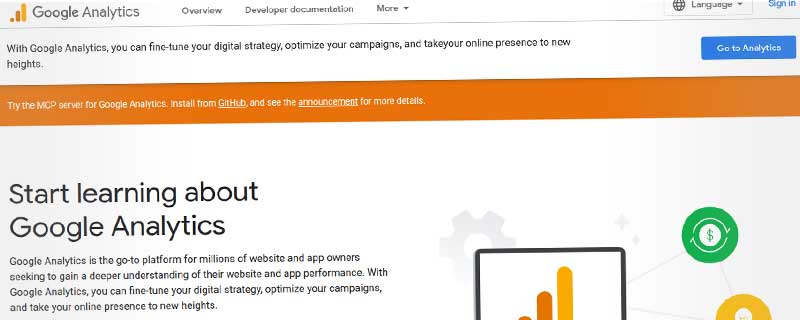

Google Analytics
VerifiedFree web analytics platform tracking website traffic, user behavior, and conversions with AI-powered insights.

This resource is developed by Google
• 5 resources available
About Google Analytics
Google Analytics is the world's most widely used web analytics platform, providing comprehensive insights into website traffic, user behavior, and conversion patterns. With over 30 million websites using the platform, it has become the industry standard for understanding how visitors interact with your site.
The latest version, Google Analytics 4 (GA4), represents a complete reimagining of analytics built for the modern web. It tracks users across websites and apps, uses AI-powered insights to predict user behavior, and is designed to work in a privacy-first world where cookies are becoming less reliable.
Core Analytics Capabilities
Google Analytics excels at showing you exactly who visits your site and what they do. The platform provides comprehensive tracking and reporting across multiple dimensions:
Real-time reporting shows activity as it happens:
- Live visitor count and active pages
- Real-time conversion tracking
- Geographic location mapping
- Traffic source breakdown
- Event tracking as they occur
The Audience reports reveal who your visitors are with detailed demographics and technology insights:
- Demographics: Age ranges, gender distribution, and geographic locations
- Interests: User interests in categories like sports, entertainment, technology
- Technology: Devices (mobile, desktop, tablet), operating systems, and browsers
- Behavior: New vs returning visitors, session frequency, and engagement depth
Traffic Source Analysis
Understanding where visitors come from is crucial for effective marketing. Google Analytics breaks down traffic sources into clear categories and helps you measure campaign effectiveness:
Traffic channels tracked include:
- Organic Search: Visitors from Google, Bing, and other search engines
- Direct Traffic: Users typing your URL or using bookmarks
- Referral: Clicks from other websites linking to yours
- Social: Facebook, Twitter, LinkedIn, and other social platforms
- Paid Search: Google Ads and other paid advertising campaigns
- Email: Traffic from email marketing campaigns
- Display: Banner ads and display advertising networks
Campaign tracking with UTM parameters lets you measure the effectiveness of specific marketing initiatives. Add tracking codes to your links and Google Analytics will show exactly how each campaign performs, including visitor quality, conversion rates, and revenue generated.
Integration with Google Ads provides deep insights into paid advertising performance, showing which keywords, ads, and campaigns drive conversions along with detailed cost and ROI data.
Event Tracking and Conversions
GA4's event-based model tracks virtually any user interaction on your site. Unlike older analytics that focused primarily on page views, GA4 treats everything as an event:
Automatically tracked events:
- Page views and page titles
- Scroll depth (25%, 50%, 75%, 90%)
- Outbound link clicks
- Site search queries
- Video engagement (play, pause, complete)
- File downloads (PDFs, documents, media)
Custom events let you track specific interactions unique to your business, such as adding items to a wishlist, using a calculator tool, opening a chat widget, or clicking specific call-to-action buttons.
Conversion tracking shows which user actions lead to business goals. Define conversions for actions like:
- Ecommerce purchases and transaction values
- Form submissions and lead generation
- Account signups and registrations
- Content downloads
- Video completions
- Time-on-site thresholds
User Journey and Behavior Flow
Google Analytics maps out how users navigate through your site with powerful path analysis tools. The User Explorer lets you follow individual visitor journeys, seeing every page they visited, event they triggered, and action they took.
Funnel analysis reveals where users drop off in critical processes. By visualizing the conversion funnel, you can identify problematic steps and optimize them to improve completion rates. Common funnels to analyze include:
- Checkout and payment processes
- Registration and onboarding flows
- Multi-step form completions
- Content consumption paths
- Free trial to paid conversions
The path exploration feature shows the most common routes users take through your site, helping you discover that users accessing your pricing page from a specific blog post convert at higher rates, or that certain navigation paths lead to high abandonment.
AI-Powered Insights and Predictions
GA4 incorporates machine learning to surface insights you might otherwise miss. The platform automatically identifies unusual changes in traffic patterns, highlights growing trends, and alerts you to anomalies.
Predictive metrics use AI to forecast user behavior:
- Purchase Probability: Likelihood of user making a purchase in next 7 days
- Churn Probability: Risk of user becoming inactive
- Revenue Prediction: Expected revenue from specific user segments
These predictions help you create audiences for remarketing, identify high-value users, and prioritize retention efforts for at-risk customers. The insights feature also suggests optimization opportunities based on your data patterns.
Custom Reports and Explorations
While GA4 provides dozens of standard reports, the real power lies in custom analysis. The Explorations feature offers a flexible workspace for building custom reports with drag-and-drop simplicity:
- Free-form Exploration: Build custom tables and charts with any dimensions and metrics
- Funnel Analysis: Visualize step-by-step conversion processes
- Path Exploration: See routes users take through your site
- Segment Overlap: Understand relationships between user groups
- Cohort Analysis: Track user groups over time
- User Lifetime: Analyze behavior across entire customer lifecycle
Each exploration can include multiple techniques and visualizations. Reports can be saved, shared with team members, and scheduled for automatic generation, making it easy to create a library of custom reports for different stakeholders.
Integration and Data Connections
Google Analytics connects seamlessly with other Google products and hundreds of third-party tools:
Key integrations include:
- Google Search Console: Brings search query data into Analytics
- Google Ads: Complete paid advertising performance tracking
- BigQuery: Export raw data for advanced SQL analysis (free tier)
- Looker Studio: Create custom dashboards and visualizations
- Firebase: Track mobile app analytics alongside web data
- Google Tag Manager: Simplified tracking code deployment
The Measurement Protocol API enables server-side tracking and offline conversion import. Send data from point-of-sale systems, CRM platforms, or mobile apps directly to Google Analytics, creating a unified view of customer interactions across all touchpoints.
Privacy and Data Controls
GA4 is built for a privacy-first future, with features designed to work as third-party cookies phase out:
- Consent Mode: Respects user privacy choices while providing directionally accurate insights
- Data Retention: Control how long user-level data is stored (2-14 months)
- IP Anonymization: Mask user IP addresses automatically
- Data Deletion: Remove specific user data upon request
- Geographic Restrictions: Disable data collection in specific regions
- Internal Traffic Exclusion: Filter out employee and development activity
Google Analytics complies with GDPR, CCPA, and major privacy frameworks, providing data processing agreements for business customers.
Pricing and Plans
Google Analytics is completely free for most websites, with generous limits that accommodate even high-traffic sites:
Free tier includes:
- Up to 10 million events per month
- All core analytics features
- BigQuery integration for raw data export
- Custom dimensions and metrics
- Unlimited properties and views
- API access for automation
For enterprise organizations with massive scale, Google Analytics 360 offers additional capabilities at approximately $150,000 per year:
- Higher data collection limits (1 billion+ events)
- Unsampled reporting for more accurate analysis
- Advanced attribution modeling
- Integration with Google Marketing Platform
- Service level agreements and dedicated support
- Advanced BigQuery export features
Most websites, including large enterprises, find the free version more than sufficient for their analytics needs.
Who Should Use Google Analytics?
Website owners and marketers benefit from understanding visitor behavior and traffic sources. Whether you run a blog, ecommerce store, or corporate website, Google Analytics provides the data needed to optimize performance.
Digital marketers rely on it to measure campaign effectiveness and ROI, with the platform showing which marketing channels and campaigns drive the most valuable traffic.
Product teams and UX designers use the behavior flow and event tracking data to understand how users interact with their products, identifying where users struggle or abandon processes.
Business analysts and data teams leverage the BigQuery integration and API access to build custom analytics solutions, combining Google Analytics data with other business data sources for sophisticated analysis.
Getting Started
Setting up Google Analytics takes about 10-15 minutes for a basic implementation. After creating a free account, you'll receive a tracking code to add to your website. Most website platforms offer plugins or built-in integrations that make installation simple without requiring coding knowledge.
Google provides comprehensive documentation, video tutorials, and a free certification course through Google Analytics Academy. The courses cover everything from basic setup to advanced analysis techniques.
Google Analytics vs Alternatives
Compared to self-hosted solutions like Matomo, Google Analytics offers much more advanced features, AI-powered insights, and seamless integration with other marketing tools. However, self-hosted solutions provide more data ownership and control for organizations with strict data governance requirements.
Against Adobe Analytics, Google Analytics provides similar capabilities with a more user-friendly interface and no cost for most users. Adobe Analytics offers deeper customization and is often preferred by large enterprises already invested in the Adobe ecosystem.
Simpler tools like Plausible or Fathom are easier to understand but lack the depth for serious optimization work. They work well for basic traffic tracking but cannot match Google Analytics for conversion tracking, audience analysis, or integration capabilities.
Google Analytics remains the industry standard for good reason, offering enterprise-grade capabilities at no cost for the vast majority of websites. The combination of powerful features, free pricing, and extensive integration ecosystem makes it an essential tool for anyone serious about understanding their website performance.
ℹ️ Information Accuracy Notice
While we strive to keep all information about this resource accurate and up-to-date, details such as pricing, features, and availability may change. We encourage you to always verify the information directly on the official website before making any decisions or purchases. Our goal is to help you discover great tools, not to misrepresent any products or services.
Google Analytics Features
Detailed specifications and capabilities of this resource.
Real-Time Tracking
Data Retention
Cookie-less Tracking
Event Tracking
Funnel Analysis
API Access
Custom Dashboards
Conversion Tracking
User Flow Analysis
A/B Testing Integration
Heatmaps
Session Recording
Custom Reports
Goal Tracking
Ecommerce Tracking
Multi-Site Support
Data Export
White Label Reports
User Segmentation
Bounce Rate Tracking
Expert Rating
Expert rating based on features, performance, and value
Pros & Cons
Pros
Cons
Do you recommend Google Analytics?
Related Resources

Plausible Analytics
Lightweight open-source privacy-first web analytics with 1KB script, cookie-less tracking, GDPR compliance, and simple single-page dashboard—ethical alternative to Google Analytics.

Fathom Analytics
Privacy-first web analytics alternative to Google Analytics. Simple, GDPR-compliant tracking with forever data retention and no cookie banners.

Matomo Analytics
Open-source web analytics platform with complete data ownership. Available as cloud-hosted or self-hosted with GDPR compliance and no data sampling.
Resource Information
- Category
- Web Analytics
- Brand
- Pricing
- FREE
- Last Updated
- 2026-01-13Recently