Affiliate Disclosure: Some links on this page are affiliate links. When you click on these links and make a purchase, we may receive a commission at no additional cost to you. This helps support our platform. Our recommendations are based on quality and value, not commission rates. Learn more
Hosting.com Managed WordPress
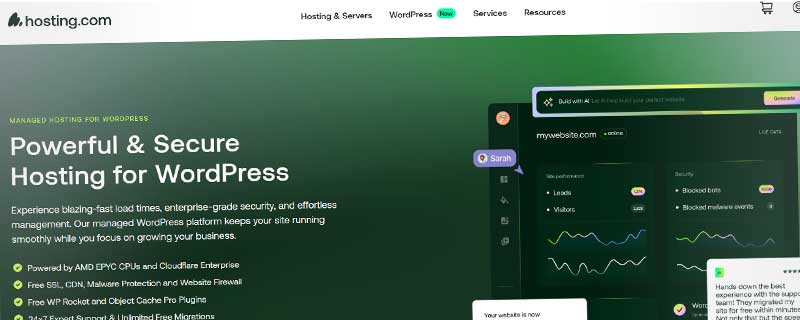
FeaturedVerifiedWordPress-optimized hosting with Turbo servers up to 20x faster, A2 Optimized plugin, and developer-friendly features.

Hosting.com
This resource is developed by Hosting.com
• 4 resources available
About Hosting.com Managed WordPress
Hosting.com Turbo WordPress Hosting combines specialized WordPress optimization with the company's legendary Turbo server performance to deliver hosting that's up to 20x faster than standard WordPress hosting. Unlike managed WordPress hosts that limit flexibility, A2 provides the perfect balance of speed, control, and WordPress-specific features at competitive pricing.
With WordPress powering over 43% of all websites, Hosting.com has invested heavily in WordPress-specific infrastructure and tooling. Their Turbo WordPress hosting includes pre-configured LiteSpeed servers, the A2 Optimized WordPress plugin, and expert WordPress support - all while maintaining the flexibility of traditional shared hosting with root access and developer tools.
WordPress Performance Architecture
Hosting.com's WordPress platform is built on their proprietary Turbo Server technology, which replaces standard Apache servers with LiteSpeed Web Server. LiteSpeed includes built-in caching specifically optimized for WordPress, handling PHP execution up to 40% faster than Apache with mod_php. The integration of NVMe SSD storage, server-level caching, and HTTP/3 support creates a performance stack that rivals dedicated WordPress hosts costing 3-5x more.
Performance features include:
- LiteSpeed Cache: Server-level WordPress caching that works seamlessly with the LiteSpeed Cache plugin
- A2 Optimized Plugin: Automated WordPress performance optimization with one-click configuration
- OPcache & Memcached: PHP bytecode caching and object caching for database queries
- NVMe SSD Storage: Ultra-fast solid-state drives that are 40x faster than traditional SSDs
- Cloudflare CDN: Free global content delivery network with edge caching
- HTTP/3 & QUIC: Latest protocols for faster page loads and better mobile performance
- Database Optimization: Automatic MySQL query optimization and database cleanup
- GZIP Compression: Automatic file compression to reduce bandwidth usage
Independent WordPress benchmarks consistently show Hosting.com's Turbo WordPress plans achieving load times under 1 second for typical WordPress sites. The performance advantage is especially pronounced for WooCommerce stores and content-heavy blogs that make extensive database queries.
WordPress Hosting Plans
A2 offers three WordPress-optimized hosting tiers that mirror their shared hosting structure but with additional WordPress-specific features and support. All plans include pre-installed WordPress, automatic updates, and security hardening.
Startup WordPress: $2.99/month (introductory)
- 1 WordPress website
- 100 GB NVMe SSD storage
- Unlimited bandwidth and visitors
- Pre-installed WordPress with A2 Optimized plugin
- Free SSL certificate and Cloudflare CDN
- Jetpack Personal included (30+ tools)
- Automatic WordPress core updates
- 24/7 WordPress-knowledgeable support
Drive WordPress: $5.99/month (most popular)
- Unlimited WordPress websites
- Unlimited NVMe SSD storage
- Turbo Boost (9x faster) performance
- Free website migration (up to 5 sites)
- Jetpack Professional included (50+ tools)
- Automatic plugin and theme updates
- Staging environment for testing
- WordPress-specific security hardening
- Priority support with WordPress specialists
Turbo Boost WordPress: $6.99/month
- Everything in Drive WordPress
- Turbo Max (20x faster) with NVMe storage
- A2 Site Accelerator for maximum optimization
- 5x more resources than Startup
- Advanced WordPress caching configuration
- WP-CLI pre-installed for command-line management
- Git integration for version control
- Premium WordPress theme library
All plans include A2's anytime money-back guarantee, allowing prorated refunds at any time rather than just within 30 days. This demonstrates confidence in their WordPress hosting quality and provides exceptional flexibility for customers.
A2 Optimized WordPress Plugin
The A2 Optimized plugin is Hosting.com's secret weapon for WordPress performance. Developed in-house and maintained by their WordPress experts, the plugin automatically configures dozens of performance optimizations that would normally require technical expertise or expensive optimization plugins.
With a single click, the plugin enables:
- Page Caching: Full-page caching with LiteSpeed Cache integration
- Database Optimization: Automatic cleanup of revisions, transients, and spam
- Minification: CSS, JavaScript, and HTML compression
- Image Optimization: Lazy loading and automatic image compression
- GZIP Compression: File compression for faster downloads
- Browser Caching: Leverage browser cache for repeat visitors
- CDN Integration: Cloudflare CDN configuration
- Security Hardening: Lock down wp-config.php and hide WordPress version
The plugin is pre-installed and pre-configured on all A2 WordPress hosting accounts, immediately providing performance benefits without any technical configuration. For advanced users, all settings can be customized through an intuitive dashboard.
WordPress Security and Protection
WordPress security is a top priority at Hosting.com, with multiple layers of protection specifically designed to prevent common WordPress attacks. The Perpetual Security system monitors WordPress installations 24/7 for malware, unauthorized changes, and security vulnerabilities.
Security features include:
- WordPress Hardening: Automatic security enhancements to core WordPress files
- Brute Force Defense: Protection against password guessing attacks
- HackScan Monitoring: 24/7 malware scanning and threat detection
- Free SSL Certificates: Let's Encrypt SSL with automatic installation and renewal
- Dual Firewall: Web application and network firewalls
- DDoS Protection: Protection against distributed denial-of-service attacks
- KernelCare: Automatic security updates without server reboots
- Plugin Vulnerability Monitoring: Alerts for plugins with known security issues
- Automatic Backups: Daily backups with easy restoration
A2's security team actively monitors WordPress security bulletins and applies patches proactively. When critical WordPress vulnerabilities are discovered, A2 can deploy security updates within hours rather than waiting for site owners to manually update.
WordPress Migration Service
Switching WordPress hosting can be stressful, with concerns about downtime, data loss, and technical complications. Hosting.com eliminates these worries with their free WordPress migration service available on Drive and Turbo Boost plans. Their migration specialists handle the entire transfer process, moving WordPress files, databases, emails, and domain configuration with zero downtime.
The migration process is remarkably smooth. After signup, customers provide their old hosting credentials through a secure form. A2's migration team schedules the transfer at a convenient time, typically completing the move within 24-48 hours. They handle:
- Complete WordPress site transfer including themes and plugins
- MySQL database migration with search-and-replace for domain changes
- Email account migration with message history
- DNS configuration and nameserver updates
- SSL certificate installation on the new server
- Post-migration testing to verify functionality
Even on the Startup plan, A2 offers free WordPress migration assistance, though customers may need to handle some technical steps themselves. The Drive and Turbo Boost plans include fully managed migration for up to 5 WordPress sites.
Developer-Friendly WordPress Features
While many managed WordPress hosts restrict access to maintain security, Hosting.com provides developers with the tools and access needed for serious WordPress development. This makes A2 an excellent choice for agencies, freelancers, and technical users who need more than basic WordPress hosting.
Developer tools include:
- SSH/SFTP Access: Secure command-line access for Git, Composer, and deployment scripts
- WP-CLI: WordPress command-line interface for bulk operations and automation
- Staging Environment: Clone production sites for safe testing of plugins and themes
- Git Integration: Version control for theme and plugin development
- Multiple PHP Versions: Switch between PHP 5.6 through 8.2 per site or directory
- Composer Support: PHP dependency management for modern development
- Cron Jobs: Schedule automated tasks and maintenance scripts
- Database Access: Direct phpMyAdmin access for database management
- Error Logs: Detailed PHP and Apache error logging
This level of access allows developers to use modern WordPress development workflows, including local development with tools like Local by Flywheel, version control with Git, and automated deployments. It's a significant advantage over strictly managed WordPress hosts that lock down access.
WordPress Support Expertise
Hosting.com's support team, known as the "Guru Crew," includes WordPress specialists who go beyond basic hosting support. They can assist with WordPress-specific issues like theme conflicts, plugin incompatibilities, and performance optimization - not just server problems.
Support is available 24/7/365 through multiple channels:
- Live Chat: Instant messaging with typical response times under 5 minutes
- Email Tickets: Detailed support with responses usually within 1 hour
- Phone Support: Direct phone assistance for urgent issues
- Knowledge Base: 400+ articles covering WordPress setup, optimization, and troubleshooting
The WordPress knowledge base is particularly comprehensive, with step-by-step guides for common scenarios like installing WordPress, configuring caching, optimizing databases, and troubleshooting white screens of death. Video tutorials supplement written guides for visual learners.
WordPress Staging and Testing
Professional WordPress development requires safe testing environments, and Hosting.com includes staging functionality on Drive and Turbo Boost plans. The staging environment creates an identical copy of your production WordPress site where you can test new plugins, themes, or major WordPress updates without risk.
The staging process is straightforward:
- Create staging site with one click through cPanel
- Test changes in the staging environment
- Verify functionality and performance
- Push changes to production when ready
This workflow is standard practice for professional WordPress development but rare in shared hosting environments. Having staging built into the hosting platform saves the cost of separate staging hosting or complex local development setups.
WooCommerce Optimization
For WordPress e-commerce stores, Hosting.com provides specific optimizations for WooCommerce performance. WooCommerce is notoriously resource-intensive, making many database queries per page load. A2's combination of NVMe storage, object caching, and LiteSpeed optimization keeps WooCommerce stores fast even during traffic spikes.
WooCommerce features include:
- Object Caching: Memcached or Redis for WooCommerce session data
- Database Optimization: Automatic cleanup of WooCommerce logs and sessions
- Payment Gateway Support: SSL and PCI compliance for secure transactions
- Product Image Optimization: Automatic compression for large product catalogs
- Checkout Page Caching: Smart caching that doesn't break shopping carts
- CDN for Product Images: Cloudflare CDN for faster product photo loading
Hosting.com's WooCommerce optimization is sophisticated enough for stores with hundreds of products and thousands of monthly orders, though very high-volume stores may eventually need VPS or dedicated hosting.
Multisite WordPress Support
WordPress Multisite allows running multiple WordPress sites from a single installation, perfect for agencies managing client sites, educational institutions, or businesses with multiple brands. Hosting.com fully supports WordPress Multisite on Drive and Turbo Boost plans with unlimited sites.
Multisite capabilities include:
- Unlimited network sites on Drive and Turbo Boost plans
- Subdomain or subdirectory multisite configurations
- Domain mapping for custom domains on each site
- Shared plugins and themes across network
- Centralized updates and maintenance
- Individual site backups and restoration
Setting up WordPress Multisite is simplified with documentation and support from A2's team. The performance benefits of Turbo hosting extend to all sites in the network, ensuring fast load times regardless of network size.
Global Data Center Options
Page loading speed is heavily influenced by geographic distance between server and visitor. Hosting.com addresses this with data centers on three continents, allowing customers to choose the location closest to their primary audience.
Available data centers:
- Michigan, USA: Optimized for North American audiences
- Arizona, USA: Western US location for Pacific coast proximity
- Amsterdam, Netherlands: European location for EU audiences and GDPR compliance
- Singapore: Asian location for Asia-Pacific markets
For global WordPress sites, combining a strategic data center location with Cloudflare CDN provides excellent worldwide performance. The ability to choose server location is rare in shared hosting and gives A2 an advantage for international WordPress sites.
WordPress Backup and Recovery
Hosting.com includes automated backup solutions to protect WordPress sites from data loss, hacking, or accidental deletions. The backup approach varies by plan level but all customers have access to some form of backup protection.
Backup features include:
- Automatic Server Backups: Regular server-level backups included at renewal
- JetBackup Integration: One-click restoration through cPanel
- WordPress Plugin Backups: Use UpdraftPlus or BackupBuddy for granular control
- Staging Site Backups: Separate backup of staging environments
- Database Snapshots: Quick MySQL database backups before changes
- File-Level Restoration: Restore individual files without full site restoration
While automatic backups are included, many WordPress users supplement with plugin-based backups that store copies off-site in Dropbox, Google Drive, or Amazon S3. A2's hosting allows any WordPress backup plugin without restrictions.
Who Should Choose A2 WordPress Hosting?
Hosting.com's Turbo WordPress hosting occupies the sweet spot between budget WordPress hosting and expensive managed WordPress hosts. It's ideal for users who want excellent performance and WordPress-specific features but don't need the hand-holding (and premium pricing) of fully managed services.
Perfect for:
- WordPress Bloggers: Content creators who need fast loading for SEO and user experience
- Small Business Websites: Companies running WordPress sites that represent their brand online
- WooCommerce Stores: E-commerce sites needing performance optimization for conversions
- Web Developers & Agencies: Professionals managing multiple client WordPress sites
- Performance-Conscious Users: Anyone frustrated with slow WordPress hosting wanting noticeable speed improvements
- International Sites: WordPress sites serving global audiences who benefit from multiple data center options
- Growing WordPress Sites: Sites that have outgrown budget hosting but aren't ready for VPS complexity
A2 WordPress hosting may not be ideal for complete beginners who want everything managed, or for enterprise sites needing dedicated infrastructure. However, for the majority of WordPress users, the combination of Turbo performance, WordPress expertise, and developer flexibility makes it an outstanding choice.
Comparison with Managed WordPress Hosts
When compared to premium managed WordPress hosts like WP Engine, Kinsta, or Flywheel, Hosting.com offers similar performance at 40-60% lower prices. The tradeoff is less WordPress-specific hand-holding and more technical responsibility for the site owner.
Hosting.com provides comparable WordPress features:
- Similar load times and uptime to managed hosts
- WordPress-specific support (though less extensive)
- Staging environments and developer tools
- Security monitoring and automatic updates
- Free migrations and backups
The main differences are that managed WordPress hosts handle more WordPress maintenance automatically, restrict plugin choices for security, and provide more intensive support for WordPress-specific issues. A2 gives you more control but requires more WordPress knowledge to maximize the platform.
For developers, agencies, and technically-proficient WordPress users, Hosting.com's flexibility is preferable. For complete beginners or busy business owners who want WordPress completely managed, premium managed hosts justify their higher prices.
ℹ️ Information Accuracy Notice
While we strive to keep all information about this resource accurate and up-to-date, details such as pricing, features, and availability may change. We encourage you to always verify the information directly on the official website before making any decisions or purchases. Our goal is to help you discover great tools, not to misrepresent any products or services.
Hosting.com Managed WordPress Features
Detailed specifications and capabilities of this resource.
WordPress Installation
Managed or Unmanaged
WordPress Version Support
Automatic Updates
PHP Versions
Storage
Bandwidth
Web Server
Staging Environment
Backups
Malware Protection
Security Features
Free SSL
CDN Included
Caching Features
Performance Tools
Traffic Limits
Email Hosting
Developer Tools
Control Panel
Expert Rating
Expert rating based on features, performance, and value
Pros & Cons
Pros
Cons
Do you recommend Hosting.com Managed WordPress?
Related Resources
WP Engine Managed WordPress Hosting
Leading managed WordPress hosting platform with EverCache technology, automatic security, and WordPress expert support. Powers 1.5M+ sites with enterprise-grade performance and reliability.

InMotion WordPress Hosting
Managed WordPress hosting with automatic updates, enhanced security, WordPress-optimized servers, BoldGrid page builder, staging environments, and 24/7 WordPress expert support.

Kinsta WordPress Hosting
Premium managed WordPress hosting powered by Google Cloud.
Resource Information
- Category
- WordPress Hosting
- Brand
- Hosting.com
- Pricing
- PAID
- Last Updated
- 2026-01-13Recently