Affiliate Disclosure: Some links on this page are affiliate links. When you click on these links and make a purchase, we may receive a commission at no additional cost to you. This helps support our platform. Our recommendations are based on quality and value, not commission rates. Learn more
Webflow
FeaturedVerifiedVisual web development platform empowering designers to create production-ready websites without code, with 3.5M+ users.

Webflow
This resource is developed by Webflow
About Webflow
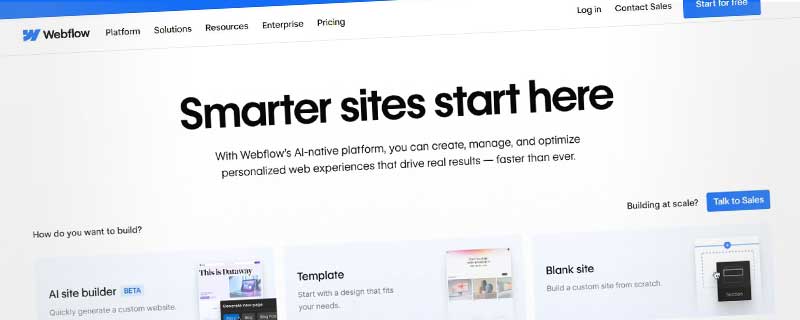
Webflow is a revolutionary visual web development platform that empowers designers to create professional, production-ready websites without writing code. Founded in 2013, Webflow has transformed how modern websites are built by bridging the gap between design and development, offering a powerful no-code solution that generates clean, semantic HTML, CSS, and JavaScript.
With over 3.5 million users and powering millions of websites worldwide, Webflow has become the platform of choice for designers, agencies, freelancers, and businesses who want complete creative control without technical limitations. The platform combines the flexibility of hand-coding with the speed and accessibility of visual design tools.
Visual Design Canvas with Developer-Grade Power
Webflow's revolutionary visual canvas provides an intuitive interface where every design decision you make translates directly into production-ready code. Unlike traditional website builders that limit customization, Webflow gives you pixel-perfect control over every element, animation, and interaction on your site. The platform operates on a familiar box model, making it intuitive for designers who understand basic web layout principles.
You can visually manipulate margins, padding, positioning, flexbox, and CSS Grid—all while Webflow automatically generates clean, standards-compliant code behind the scenes. This approach eliminates the compromise between design freedom and code quality that plagues many website builders. The visual editor shows you exactly how elements will render while maintaining the precision that developers expect from hand-coded solutions.
Professional Designer Tools
Webflow provides the professional design tools that creative teams expect. The platform includes comprehensive typography controls with custom font uploading and variable font support, allowing precise control over every typographic detail. Advanced layout capabilities include flexbox and CSS Grid systems that adapt automatically to different screen sizes.
- Responsive design controls for desktop, tablet, and mobile breakpoints
- Custom breakpoints for precise control across all devices
- Interactions and animations with timeline-based controls
- Style manager for creating reusable design systems
- Components and symbols for consistent design elements
- Asset management with automatic image optimization
Content Management System Excellence
Webflow CMS revolutionizes content management by allowing designers to structure content exactly how they envision it. Unlike traditional CMS platforms that force content into predefined templates, Webflow CMS lets you design the content structure visually while maintaining complete control over presentation. The flexible collection system enables defining custom content types with any fields you need—text, rich text, images, videos, references to other collections, and more.
Content editors work in a clean, intuitive interface that focuses on content creation without exposing the underlying design system. This separation ensures your carefully crafted designs remain intact while content flows dynamically throughout your site. Multi-reference fields enable sophisticated content relationships, such as blog posts with multiple authors, products with related items, or projects with multiple categories. Conditional visibility allows showing or hiding elements based on content values, creating truly dynamic experiences without custom development.
E-Commerce Platform Integration
Webflow E-commerce provides a fully integrated shopping experience with the same design flexibility that makes Webflow unique. You can create completely custom product pages, shopping carts, and checkout experiences that reflect your brand identity without being constrained by e-commerce platform templates.
- Unlimited products on Business and Enterprise plans
- Custom product fields for unique product attributes
- Inventory management with automatic tracking
- Payment processing through Stripe, PayPal, and Apple Pay
- Shopping cart customization with complete design control
- Dynamic product filtering and search functionality
- Discount codes and promotional pricing
- Order management system with fulfillment tracking
- Tax calculation and shipping integration
Animations and Interactions
Webflow's interaction designer enables creating sophisticated animations and micro-interactions without JavaScript knowledge. The visual timeline editor lets you orchestrate complex animation sequences, scroll-based effects, and state-based interactions that bring websites to life. You can trigger animations based on page load, scrolling, hover states, clicks, or form submissions, with the platform supporting all CSS animation properties including transforms, opacity, filters, and custom properties.
Advanced users create parallax effects, revealing animations, and complex multi-step interactions entirely through the visual interface. The timeline gives precise control over animation timing, easing functions, and sequencing, enabling professional motion design that rivals custom JavaScript implementations. These capabilities transform static designs into engaging, interactive experiences that capture visitor attention and enhance usability.
Hosting Infrastructure and Performance
Webflow provides enterprise-grade hosting infrastructure powered by Amazon Web Services (AWS) and Fastly CDN. This ensures your websites load quickly for visitors worldwide, with content delivered from servers closest to each user. The platform maintains 99.99% uptime and automatically scales to handle traffic spikes, whether you're experiencing normal traffic or viral moments that send thousands of simultaneous visitors.
Performance optimization happens automatically. Webflow compresses images, minifies code, leverages browser caching, and implements best practices for web performance. Every site includes a free SSL certificate, and the platform handles all security updates and infrastructure maintenance, so you can focus on design rather than DevOps. This managed approach eliminates the technical burden of hosting while delivering enterprise-level reliability and speed.
Responsive Design Framework
Webflow's responsive design system works mobile-first, with five default breakpoints covering all device sizes. You can customize styling for each breakpoint independently, with changes cascading intelligently from larger to smaller screens. The visual breakpoint switcher lets you preview and edit designs at each size without leaving the canvas.
Advanced responsive features ensure your designs maintain visual integrity across all devices:
- Responsive images with automatic WebP format selection and fallbacks
- Fluid typography that scales smoothly between breakpoints
- Responsive spacing that adapts layouts elegantly across screen sizes
- Custom breakpoints for precise control over specific device ranges
Collaborative Design Workflow
Webflow supports modern team collaboration with workspace features that enable multiple designers to work on projects simultaneously. Team members can access shared assets, style guides, and components, ensuring design consistency across large projects. The platform includes commenting and feedback tools, staging environments, and version history for safe experimentation.
Client collaboration features allow presenting designs in-progress and collecting feedback without lengthy email chains. Clients can leave comments directly on designs, and content editors can update CMS content without accessing design tools, maintaining the separation between content and design. This streamlined workflow accelerates project timelines and ensures stakeholders can provide input without accidentally disrupting carefully crafted layouts.
SEO and Marketing Tools
Webflow generates SEO-friendly code by default, with clean HTML structure, semantic markup, and optimized URLs that search engines understand. The platform provides comprehensive SEO controls:
- Customizable meta titles and descriptions for every page
- Open Graph tags for optimized social media sharing
- Automatic XML sitemaps for search engine crawling
- 301 redirect management for URL changes and migrations
- Clean URL structures with full customization control
Marketing integrations are straightforward with native support for Google Analytics, Facebook Pixel, and custom code embedding. Form builders include spam protection, custom validation, and integration with email marketing platforms and CRM systems. The platform supports A/B testing tools and conversion tracking for data-driven optimization.
Template Marketplace and Starting Points
Webflow's template marketplace offers hundreds of professionally designed templates across industries and use cases. These templates serve as starting points that you can customize completely, maintaining Webflow's design flexibility while accelerating project timelines. The marketplace spans free templates for getting started and premium templates for more sophisticated projects, with each serving as both a starting point and a learning resource that demonstrates best practices for Webflow development.
Custom Code Integration
While Webflow excels at no-code development, it doesn't limit developers who need custom functionality. You can embed custom HTML, CSS, and JavaScript anywhere in your projects—in the page head, before the closing body tag, or within specific elements. This flexibility enables integrating third-party services, custom analytics, and advanced functionality that extends beyond Webflow's native capabilities.
The custom code editor includes syntax highlighting and allows embedding entire JavaScript libraries or frameworks when needed, making Webflow suitable for projects that require both visual design freedom and custom development.
Dynamic Content and CMS Collections
Webflow's dynamic content system allows connecting design elements to CMS data, creating template pages that automatically populate with content from collections. You can build complex content relationships, filtered views, and dynamic lists that update automatically as content changes. This powerful system transforms static designs into data-driven websites that scale effortlessly as your content library grows.
The dynamic binding system works visually—you simply drag CMS fields onto design elements to create the connection. Collection lists automatically display multiple items with filtering and sorting options, while dynamic pages generate individual pages for each collection item. This approach gives you database-powered functionality with the simplicity of visual design, bridging the gap between static websites and complex content management systems.
Form Builder and Data Collection
The integrated form builder creates custom forms with any fields you need—text inputs, textareas, select menus, checkboxes, radio buttons, and file uploads. Forms include built-in validation, spam protection through reCAPTCHA, and success/error state styling that maintains your brand aesthetic. Form submissions trigger email notifications, integrate with Zapier for workflow automation, or connect directly to marketing platforms like Mailchimp, HubSpot, and ActiveCampaign.
The platform stores form submissions for easy access and export, serving as a simple database for lead collection. This eliminates the need for third-party form services while giving you complete control over form design and data handling. Custom submission flows can redirect users to thank-you pages, display inline success messages, or trigger complex automation sequences.
Code Export Capabilities
Webflow's code export feature allows downloading your entire site as clean HTML, CSS, and JavaScript files. The exported code is production-ready, well-structured, and commented, making it easy for developers to integrate with custom backends, frameworks, or content management systems. The code export feature enables using Webflow as a design tool even for projects that ultimately require custom development, bridging the gap between design and engineering teams with a shared visual language.
Accessibility Features
Webflow generates semantic HTML that provides a strong foundation for web accessibility. The platform includes tools for adding alt text to images, ARIA labels for interactive elements, and proper heading hierarchies. While designers must implement accessibility best practices consciously, Webflow provides the tools and structure needed to create WCAG-compliant websites.
The platform supports keyboard navigation, screen reader compatibility, and includes accessibility checkers to identify potential issues before publishing. Focus states, skip links, and proper form labeling are all implementable through the visual interface. This thoughtful approach ensures websites can be both visually stunning and accessible to users with disabilities.
API and Third-Party Integrations
Webflow provides a comprehensive REST API that enables programmatic access to CMS content, form submissions, and site data. This API supports headless implementations where Webflow serves as the content source for custom frontend applications built with React, Vue, Next.js, or other frameworks.
Native integrations connect Webflow to popular services:
- Google Analytics and Google Tag Manager for visitor tracking
- Facebook Pixel for advertising and retargeting
- Mailchimp for email marketing campaigns
- Zapier and Make for workflow automation
These integrations enable sophisticated workflows without custom development, from automated social sharing to CRM synchronization.
Enterprise Features and Support
Webflow Enterprise provides advanced capabilities for large teams and high-traffic websites. Enterprise customers receive dedicated infrastructure, advanced security features, SSO authentication, and white-glove support from Webflow's expert team. Custom SLAs ensure reliability for mission-critical websites that can't tolerate downtime or performance issues.
Advanced workspace features include granular permissions, audit logs, design system management, and centralized billing. Enterprise customers also access priority feature requests and direct communication with Webflow's product team for custom requirements. This premium tier serves organizations that need enterprise-grade reliability with the design flexibility that makes Webflow unique.
Webflow University and Learning Resources
Webflow University provides free, comprehensive educational content covering every aspect of the platform. The curriculum includes beginner courses for getting started, advanced tutorials for complex interactions, and best practice guides for professional workflows. Video tutorials, written guides, and community forums ensure you can find answers to any question and continuously expand your capabilities.
The learning resources transform Webflow from just a tool into an educational platform that improves your design skills. Many users report that Webflow University helped them understand core web design concepts better than traditional education, making it valuable even for those who eventually move to hand-coding or other platforms.
Community and Ecosystem
Webflow has cultivated a vibrant community of designers, developers, and agencies who share knowledge, templates, and resources. The community forums provide peer support, inspiration, and networking opportunities, while regular webinars, conferences, and local meetups connect Webflow users globally. This active community means you're never alone when facing design challenges or exploring new techniques.
The Webflow ecosystem includes thousands of freelancers and agencies offering Webflow services, making it easy to find expert help for any project. The Partner Program connects businesses with certified Webflow experts who meet quality and service standards, ensuring you work with professionals who understand the platform's full capabilities. This rich ecosystem provides both learning opportunities and professional support as your Webflow journey progresses.
Pricing and Plans
Webflow offers flexible pricing across two main categories: site plans for hosting and workspace plans for design capabilities. Free accounts allow designing and testing unlimited projects, with paid hosting required only for published sites. This enables learning the platform without financial commitment, letting you explore every feature before deciding to launch a live site.
Site plans range from basic hosting for simple sites to advanced plans with increased visitor capacity, CMS items, and e-commerce functionality. Enterprise customers receive dedicated support, custom infrastructure, and advanced team features. The pricing model scales with project needs, making Webflow accessible for personal projects while supporting agency and enterprise requirements. Annual billing provides significant discounts compared to monthly plans.
ℹ️ Information Accuracy Notice
While we strive to keep all information about this resource accurate and up-to-date, details such as pricing, features, and availability may change. We encourage you to always verify the information directly on the official website before making any decisions or purchases. Our goal is to help you discover great tools, not to misrepresent any products or services.
Webflow Features
Detailed specifications and capabilities of this resource.
Templates
AI Website Generator
Drag-and-Drop Editor
Mobile Responsive
Custom Domain
Free Hosting
Storage
Bandwidth
Pages Limit
Ecommerce Features
Products Limit
Payment Processing
SEO Tools
Analytics
Custom Code
Blog Functionality
Free SSL
Email Integration
AI Content Writer
Image Library
Expert Rating
Expert rating based on features, performance, and value
Pros & Cons
Pros
Cons
Do you recommend Webflow?
Related Resources

Hostinger Website Builder
AI-powered no-code website builder creating sites in 60 seconds. 150+ templates, drag-and-drop editing, e-commerce for 1,000 products, AI content tools from $1.99/month.

Wix
All-in-one website builder with AI-powered design, drag-drop editor, and complete business solutions including ecommerce, bookings, and marketing tools.

Squarespace
All-in-one website builder with designer templates, AI assistance, e-commerce, and marketing tools for creators and businesses.
Resource Information
- Category
- Website Builder
- Brand
- Webflow
- Pricing
- FREEMIUM
- Last Updated
- 2026-01-13Recently