Affiliate Disclosure: Some links on this page are affiliate links. When you click on these links and make a purchase, we may receive a commission at no additional cost to you. This helps support our platform. Our recommendations are based on quality and value, not commission rates. Learn more
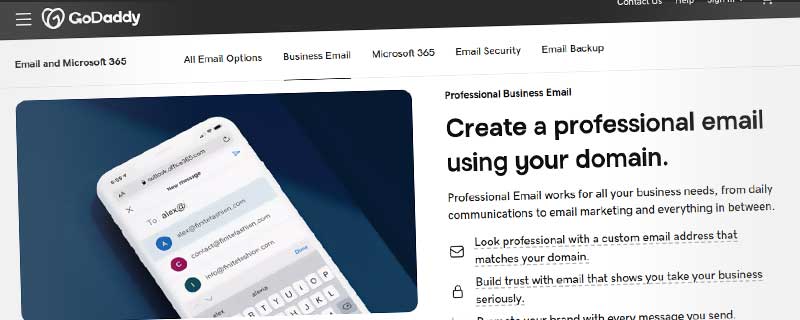
GoDaddy Professional Email
VerifiedProfessional email hosting with your domain. Includes calendar, contacts, mobile apps, and spam filtering with 99.9% uptime guarantee.

GoDaddy
This resource is developed by GoDaddy
• 6 resources available
About GoDaddy Professional Email
Professional Email for Your Business
GoDaddy Professional Email provides business-class email hosting using your own domain name (@yourbusiness.com), building credibility with customers and partners. With spam filtering, virus protection, mobile access, and calendar integration, Professional Email delivers essential communication tools without the complexity of enterprise platforms.
Designed for small businesses and professionals, GoDaddy's email service combines ease of use with reliability. The 99.9% uptime guarantee ensures your email remains accessible, while automatic setup and intuitive management make administration simple even for non-technical users.
Email Plans and Pricing
Email Essentials: $5.99/month per user
- 10 GB storage per mailbox
- Professional email (@yourdomain.com)
- Webmail access
- Mobile and desktop sync (IMAP/POP3/SMTP)
- Calendar and contacts
- Spam and virus filtering
- 24/7 support
- 99.9% uptime guarantee
Email Plus: $7.99/month per user
- 25 GB storage per mailbox
- Everything in Email Essentials
- Priority support
- Enhanced security features
Annual billing provides modest discounts. Additional mailboxes are added at the same per-user rate, making it straightforward to scale as your team grows.
Professional Email Addresses
Create email addresses matching your domain name, establishing professional credibility that free email services cannot provide. Use your business name in every email interaction—sales@yourbusiness.com, support@yourbusiness.com, yourname@yourbusiness.com.
Unlimited email addresses (depending on plan) let you create role-based addresses for different business functions, team member addresses, and department-specific addresses without additional cost per address.
Webmail Access
Access email from any web browser through GoDaddy's webmail interface. The clean, modern interface organizes email into folders, provides drag-and-drop message management, and includes search functionality to find messages quickly.
Compose emails with rich text formatting, attach files up to 20 MB, and organize messages with folders and labels. The interface works seamlessly on desktop and mobile browsers.
Mobile and Desktop Email
GoDaddy email syncs with iOS and Android mobile devices using native email apps. Automatic configuration simplifies setup—enter your email and password, and your device configures all settings automatically.
Desktop email clients like Microsoft Outlook, Apple Mail, and Mozilla Thunderbird connect via IMAP/POP3 protocols. IMAP keeps email synchronized across all devices, while POP3 downloads messages locally for offline access.
Mobile apps provide full email functionality including push notifications for new messages, rich text composition, attachment viewing, and integrated calendar access.
Calendar and Scheduling
Integrated calendar manages appointments, meetings, and tasks alongside email. Create events, set reminders, and share calendars with team members. The calendar syncs across all devices, keeping your schedule accessible whether at your desk or on the go.
Schedule meetings by checking availability across your team's calendars. Send meeting invitations that colleagues can accept or decline, with automatic calendar updates.
Contacts Management
Store contact information for customers, partners, and team members in the integrated address book. Contacts sync across all devices, providing access to phone numbers, email addresses, and notes wherever you work.
Import contacts from other email services or devices, and export contact lists for backup or sharing. Group contacts for easy email list creation.
Security and Spam Protection
Spam filtering blocks unwanted email automatically, using advanced algorithms to identify and quarantine spam before it reaches your inbox. Customize spam sensitivity to balance protection with false positive prevention.
Virus and malware scanning inspects all incoming email and attachments, protecting against malicious software and phishing attempts. Quarantined messages can be reviewed in case legitimate email is incorrectly filtered.
SSL/TLS encryption protects email during transmission between servers and to your email client, preventing interception of sensitive communications.
Administration and Management
Email administration is managed through your GoDaddy account dashboard. Add or remove users, reset passwords, configure forwarding, and manage storage allocations without technical expertise.
Email forwarding redirects messages from one address to another—useful for role-based addresses that multiple team members monitor. Auto-responders send automatic replies when you're away from email.
Email aliases let one mailbox receive email sent to multiple addresses, reducing mailbox costs for smaller teams while maintaining professional appearance.
Storage and Archiving
Email storage is 10 GB per mailbox (Email Essentials) or 25 GB (Email Plus). Storage includes all emails, attachments, calendar data, and contacts. Monitor storage usage through your dashboard and upgrade storage if needed.
For businesses requiring email archiving for compliance or record-keeping, consider backing up email to local devices or cloud storage services, as Professional Email does not include long-term archiving features.
Reliability and Uptime
GoDaddy guarantees 99.9% email uptime, backed by Service Level Agreement. Redundant infrastructure, backup systems, and 24/7 monitoring minimize downtime. In rare cases of service interruption, email queues at sending servers and delivers when service restores.
Support and Setup
24/7 customer support via phone and chat assists with email setup, troubleshooting, and configuration questions. Priority support on Email Plus connects you with specialists faster.
Setup wizards guide you through email configuration on common devices and email clients. Detailed knowledge base articles provide step-by-step instructions for every email client and mobile device.
Migration from Other Email Services
Migrating from Gmail, Outlook.com, or other providers is straightforward with GoDaddy's migration tools. Import email messages, contacts, and calendar events from your previous service. The process preserves folder structure and email metadata.
Limitations Compared to Enterprise Solutions
While excellent for small businesses, GoDaddy Professional Email lacks advanced features found in Microsoft 365 or Google Workspace. No integrated document collaboration, video conferencing, or team chat. Storage limits are lower than Google Workspace's 30 GB or Microsoft 365's 50 GB mailboxes.
Administration is basic compared to enterprise platforms—no centralized admin console for managing hundreds of users, no advanced security policies, and limited compliance features.
Who Should Choose GoDaddy Professional Email
Ideal for:
- Small Businesses: Professional email without enterprise complexity or cost
- Solopreneurs and Freelancers: Affordable professional identity with custom domain
- GoDaddy Customers: Convenient integration with GoDaddy domains and hosting
- Simple Email Needs: Core email functionality without collaboration tools
- Budget-Conscious: Lower cost than Microsoft 365 or Google Workspace
However, larger organizations (20+ employees), teams requiring document collaboration, or businesses needing advanced security and compliance should consider Microsoft 365 or Google Workspace despite higher costs.
ℹ️ Information Accuracy Notice
While we strive to keep all information about this resource accurate and up-to-date, details such as pricing, features, and availability may change. We encourage you to always verify the information directly on the official website before making any decisions or purchases. Our goal is to help you discover great tools, not to misrepresent any products or services.
GoDaddy Professional Email Features
Detailed specifications and capabilities of this resource.
Email Accounts
Storage per Account
Total Storage
Custom Domain
Webmail Access
IMAP/POP3 Support
SMTP Support
Mobile App
Spam Filter
Virus Scanner
Email Forwarding
Auto-responder
Catch-all Email
Email Aliases
Calendar
Contacts Management
Tasks/Notes
Shared Calendars
Two-Factor Auth
Email Encryption
Expert Rating
Expert rating based on features, performance, and value
Pros & Cons
Pros
Cons
Do you recommend GoDaddy Professional Email?
Related Resources

Hostinger Business Email
Professional email hosting with Kodee AI assistant for smart replies, summaries, and natural language search. Custom domain addresses from $0.35/month per mailbox.

Bluehost Professional Email
Professional domain-branded email with 25GB storage per mailbox, webmail access, mobile sync, and spam protection starting at $2.99/mailbox per month.

Google Workspace
Professional email and productivity suite with Gmail, Drive, Docs, Sheets, Meet, and Calendar. Includes 30GB-5TB storage, custom domain email, and AI-powered tools.
Resource Information
- Category
- Email Hosting
- Brand
- GoDaddy
- Pricing
- PAID
- Last Updated
- 2026-01-13Recently