Affiliate Disclosure: Some links on this page are affiliate links. When you click on these links and make a purchase, we may receive a commission at no additional cost to you. This helps support our platform. Our recommendations are based on quality and value, not commission rates. Learn more
Google Workspace
VerifiedProfessional email and productivity suite with Gmail, Drive, Docs, Sheets, Meet, and Calendar. Includes 30GB-5TB storage, custom domain email, and AI-powered tools.

This resource is developed by Google
• 5 resources available
About Google Workspace
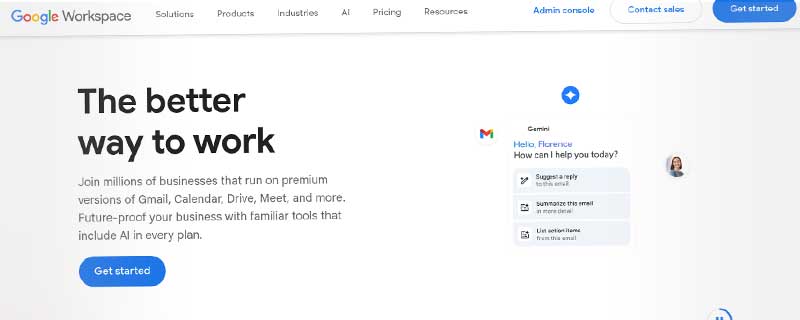
Google Workspace (formerly G Suite) is Google's comprehensive cloud-based productivity and collaboration platform for businesses. It combines professional email through Gmail with powerful productivity tools including Google Drive, Docs, Sheets, Slides, Meet, and Calendar, now enhanced with Gemini AI assistance.
Google Workspace provides everything businesses need to communicate, collaborate, and work productively from anywhere. With custom domain email, secure cloud storage, video conferencing, and real-time document collaboration, it's a complete business solution trusted by over 10 million organizations worldwide.
Core Applications
Gmail Business Email forms the foundation of Google Workspace, providing professional custom email addresses that match your domain. Each user gets between 30GB and 5TB of storage depending on the plan, with powerful spam filtering that blocks over 99.9% of spam and malware before it reaches your inbox. The interface works seamlessly across web, mobile apps, and email clients through IMAP/SMTP support.
Google Drive serves as your central cloud storage hub, offering 30GB to 5TB per user with pooled storage shared across your organization. Files sync automatically across all devices, and advanced sharing controls let you manage access at granular levels. Drive integrates with all Google Workspace apps, making file collaboration effortless.
The productivity suite includes Google Docs for word processing, Sheets for spreadsheets, and Slides for presentations. These tools support real-time collaboration where multiple team members can edit simultaneously, with changes appearing instantly. All edits are automatically saved with complete version history, and files can be exported to Microsoft Office formats when needed.
Google Meet provides enterprise-grade video conferencing for up to 500 participants on higher-tier plans. Meetings include features like screen sharing, recording, live captions, and breakout rooms. The quality automatically adjusts to network conditions, ensuring smooth calls even on slower connections.
Gemini AI Integration
Google Workspace now incorporates Gemini AI capabilities directly into your workflow. This intelligent assistant can draft emails, summarize long documents, generate presentation outlines, and analyze spreadsheet data using natural language commands. Gemini helps you work faster by automating repetitive tasks and providing intelligent suggestions based on context.
The AI features are available as an add-on to Business and Enterprise plans, bringing advanced capabilities like smart compose, automated data insights, and intelligent content generation. All AI processing respects your data privacy and security settings, with enterprise-grade protections in place.
Business Plans & Pricing
Google Workspace offers four main business tiers, each designed for different organizational needs and sizes. All plans include the core applications, but differ in storage capacity, security features, and administrative controls.
Business Starter: $6 per user/month
- Custom business email (@yourcompany.com)
- 30GB cloud storage per user
- Video meetings up to 100 participants
- Standard security and management controls
- Chat, Calendar, and Meet included
Business Standard: $12 per user/month
- Everything in Starter plus:
- 2TB cloud storage per user
- Video meetings up to 150 participants with recording
- Enhanced security and management tools
- Shared drives for team collaboration
Business Plus: $18 per user/month
- Everything in Standard plus:
- 5TB cloud storage per user
- Video meetings up to 500 participants
- Advanced security and compliance features
- Vault for eDiscovery and retention
- Enhanced admin capabilities
Enterprise: Custom pricing
- Everything in Plus plus:
- Unlimited storage (5TB+ per user)
- Advanced security, compliance, and controls
- Premium support with dedicated account team
- Advanced endpoint management
Key Features for Business Users
Beyond the core applications, Google Workspace includes essential business tools that streamline operations. Google Calendar manages scheduling with smart meeting suggestions, automatic time zone detection, and integration with Meet for instant video calls. The calendar can show availability across your organization, making it easy to find meeting times that work for everyone.
Google Chat provides team messaging with direct messages, group conversations, and dedicated spaces for projects. Chat integrates with all Workspace apps, letting you share files, start video calls, and manage tasks without switching applications. The search functionality makes it easy to find past conversations and shared resources.
Administrative controls give IT teams comprehensive management capabilities. You can enforce security policies, manage user accounts, control app access, and monitor usage through detailed reports. Two-factor authentication and single sign-on (SSO) options protect accounts, while data loss prevention policies help prevent sensitive information from being shared inappropriately.
Security and Compliance
Google Workspace maintains enterprise-grade security with 99.9% uptime SLA on Business Plus and Enterprise plans. All data is encrypted in transit and at rest, with Google's infrastructure providing protection against threats. Advanced threat detection identifies and blocks phishing attempts, malware, and suspicious login activity automatically.
Compliance certifications include HIPAA, GDPR, ISO 27001, SOC 2/3, and industry-specific standards. Business Plus and Enterprise plans include Vault for legal holds, eDiscovery, and data retention policies. These features help organizations meet regulatory requirements while maintaining control over their data.
Admin controls let you set granular permissions for file sharing, external collaboration, and data access. Mobile device management helps secure company data on employee devices, with options to remotely wipe data if a device is lost or an employee leaves.
Who Should Use Google Workspace?
Google Workspace works well for organizations of all sizes, from solo entrepreneurs to large enterprises. Small businesses benefit from the affordable Business Starter plan, which provides professional email and essential collaboration tools without requiring IT expertise. The web-based interface means no software installation or server maintenance.
Remote and hybrid teams find Google Workspace particularly valuable for its real-time collaboration features. Team members can work on the same documents simultaneously regardless of location, with Meet providing reliable video conferencing for face-to-face communication. The mobile apps ensure full productivity from any device.
Growing companies appreciate how Google Workspace scales effortlessly from a handful of users to thousands. Adding new team members takes minutes, and the pooled storage model means organizations pay for what they need without managing individual quotas. Integration with thousands of third-party apps extends functionality as needs evolve.
Educational institutions have access to free or discounted Google Workspace for Education, which includes enhanced controls for student safety and streamlined assignment management through Google Classroom.
Google Workspace vs Competitors
Compared to Microsoft 365, Google Workspace offers simpler pricing, better real-time collaboration, and a more intuitive interface. However, Microsoft 365 provides deeper desktop app integration and more advanced features in Excel and Word. Organizations with extensive Microsoft infrastructure may prefer Microsoft 365, while those prioritizing cloud-native collaboration often choose Google Workspace.
Against Zoho Workplace and other alternatives, Google Workspace stands out for its reliability, extensive mobile apps, and massive ecosystem of integrations. The AI features through Gemini and the backing of Google's infrastructure provide advantages that smaller providers cannot match.
Getting Started with Google Workspace
New customers can try Google Workspace free for 14 days with no credit card required. The trial includes full access to Business Starter features, letting you test email, storage, and collaboration tools with your team. During the trial, you can connect your domain, add users, and migrate existing email using Google's built-in migration tools.
Setup takes about 15 minutes for basic configuration. Google provides step-by-step guides for domain verification, DNS configuration, and email migration from other providers. Support is available through documentation, community forums, and direct contact channels depending on your plan level.
Business Plus and Enterprise customers get access to premium support with faster response times and phone support. Enterprise plans include a dedicated account representative who helps with onboarding, optimization, and ongoing technical questions.
Technical Specifications
Google Workspace operates entirely through web browsers and mobile apps, requiring no local software installation. The platform supports all modern browsers including Chrome, Firefox, Safari, and Edge. Mobile apps are available for iOS and Android devices, providing full functionality on smartphones and tablets.
Email sending limits vary by plan, ranging from 2,000 to 10,000 messages per day for individual users. Email attachments support up to 25MB through traditional attachments, or 50MB when sharing through Google Drive links. Video calls support unlimited duration on all plans, with participant limits ranging from 100 to 500 depending on the tier.
All applications include offline access capabilities, allowing you to work on documents, read emails, and view calendars without an internet connection. Changes sync automatically once connectivity is restored. The API access available on all plans enables custom integrations and workflow automation for organizations with specific needs.
Advanced Features for Enterprises
Organizations on Business Plus and Enterprise plans gain access to sophisticated tools designed for complex requirements. Vault provides comprehensive eDiscovery, legal hold, and retention capabilities, allowing legal teams to search, export, and preserve data across Gmail, Drive, Chat, and other services.
Cloud Identity Premium enhances user management with advanced security features like context-aware access, which adjusts authentication requirements based on location, device, and risk factors. This helps prevent unauthorized access while maintaining convenience for legitimate users.
Work Insights gives leaders visibility into collaboration patterns and productivity trends across the organization. These analytics help identify bottlenecks, optimize workflows, and understand how teams use Google Workspace tools. All insights are aggregated and anonymized to protect individual privacy.
Google Workspace provides a comprehensive, cloud-native productivity solution that scales with your business while keeping everything secure and accessible from anywhere. The combination of reliable infrastructure, continuous innovation, and seamless integration makes it an excellent choice for organizations looking to modernize their workplace technology.
ℹ️ Information Accuracy Notice
While we strive to keep all information about this resource accurate and up-to-date, details such as pricing, features, and availability may change. We encourage you to always verify the information directly on the official website before making any decisions or purchases. Our goal is to help you discover great tools, not to misrepresent any products or services.
Google Workspace Features
Detailed specifications and capabilities of this resource.
Email Accounts
Storage per Account
Total Storage
Custom Domain
Webmail Access
IMAP/POP3 Support
SMTP Support
Mobile App
Spam Filter
Virus Scanner
Email Forwarding
Auto-responder
Catch-all Email
Email Aliases
Calendar
Contacts Management
Tasks/Notes
Shared Calendars
Two-Factor Auth
Email Encryption
Expert Rating
Expert rating based on features, performance, and value
Pros & Cons
Pros
Cons
Do you recommend Google Workspace?
Related Resources

Hostinger Business Email
Professional email hosting with Kodee AI assistant for smart replies, summaries, and natural language search. Custom domain addresses from $0.35/month per mailbox.
Bluehost Professional Email
Professional domain-branded email with 25GB storage per mailbox, webmail access, mobile sync, and spam protection starting at $2.99/mailbox per month.

NameSilo Business Email
Professional email hosting via Titan or Google Workspace. Custom domain emails from $4-6/user/month with 100GB storage and productivity tools.
Resource Information
- Category
- Email Hosting
- Brand
- Pricing
- FREEMIUM
- Last Updated
- 2026-01-13Recently