Affiliate Disclosure: Some links on this page are affiliate links. When you click on these links and make a purchase, we may receive a commission at no additional cost to you. This helps support our platform. Our recommendations are based on quality and value, not commission rates. Learn more
Google Search Console
VerifiedFree Google tool for monitoring search performance, indexing status, and technical SEO issues.
This resource is developed by Google
• 5 resources available
About Google Search Console
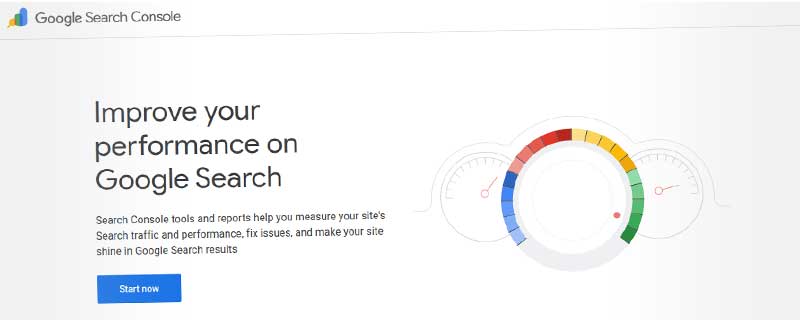
Google Search Console (formerly Google Webmaster Tools) is a free service from Google that helps website owners monitor, maintain, and optimize their site's presence in Google search results. It provides direct insights from Google about how your website is performing in search, what issues need attention, and how to improve your visibility.
As the only tool that shows you exactly how Google sees your website, Search Console is essential for anyone serious about SEO. It reveals which keywords drive traffic, how your pages rank, technical issues that prevent indexing, and security problems that could harm your site. Over 7 million websites use Search Console to monitor their search performance.
Search Performance Analysis
The Performance report is Search Console's most valuable feature, showing exactly how your site appears in Google search results. You can see every query that led to your site appearing in search, along with detailed metrics:
Key metrics tracked:
- Total Clicks: How many users clicked your site from search results
- Total Impressions: How many times your site appeared in search results
- Average CTR: Click-through rate showing how compelling your listings are
- Average Position: Your typical ranking position for queries
You can filter performance data by search query, page URL, country, device type, search appearance, and date range. This granular analysis helps identify which keywords drive traffic, which pages perform best, and where opportunities for improvement exist.
Search appearance filters include:
- Web results (standard listings)
- Image search
- Video results
- News articles
- Discover feed
- Google News
Index Coverage and Status
The Index Coverage report shows which of your pages Google has successfully indexed and which have issues. Understanding indexing status is crucial because only indexed pages can appear in search results.
Page status categories:
- Valid: Pages successfully indexed and available in search
- Valid with Warnings: Indexed but with minor issues to address
- Error: Pages that couldn't be indexed due to problems
- Excluded: Pages intentionally not indexed (by robots.txt, noindex tags, etc.)
Common indexing errors include server errors, redirect chains, soft 404s, duplicate content, and crawl anomalies. Search Console identifies these issues and provides specific URLs affected, making troubleshooting straightforward.
The URL Inspection Tool lets you check any URL on your site to see exactly how Google sees it. Enter a URL and you'll see whether it's indexed, when it was last crawled, any crawling or indexing issues, and a rendered view of how Googlebot sees the page. You can also request indexing for new or updated pages directly from this tool.
Sitemaps and Crawling
Search Console's Sitemaps report helps you submit XML sitemaps that tell Google about all the pages you want indexed. After submitting a sitemap, you can monitor how many URLs were discovered and indexed versus how many had errors.
Sitemap benefits include:
- Faster discovery of new content
- Better indexing of large or complex sites
- Clear organization of your site structure
- Priority signals for important pages
- Update frequency hints for Google
The crawl stats report shows how Google's crawlers interact with your site. You can see how many pages are crawled daily, how long crawling takes, and the amount of data transferred. Sudden changes in crawl patterns can indicate technical issues or improvements to address.
Mobile Usability
With Google's mobile-first indexing, the Mobile Usability report has become critical. It identifies pages with mobile usability issues that could harm your search rankings or user experience.
Common mobile issues detected:
- Text too small to read on mobile devices
- Clickable elements too close together
- Content wider than the screen
- Viewport not configured properly
- Font size too small
- Touch targets too small
Fixing these issues improves both user experience and search rankings, as Google prioritizes mobile-friendly sites in mobile search results. The report shows exactly which pages have problems and what specific issues need fixing.
Core Web Vitals
The Core Web Vitals report measures page experience metrics that Google considers when ranking pages. These user-centric performance metrics assess loading speed, interactivity, and visual stability:
Core Web Vitals metrics:
- Largest Contentful Paint (LCP): Loading performance - should occur within 2.5 seconds
- First Input Delay (FID): Interactivity - should be less than 100 milliseconds
- Cumulative Layout Shift (CLS): Visual stability - should be less than 0.1
Search Console groups your URLs by performance status (Good, Needs Improvement, Poor) and shows real user data from the Chrome User Experience Report. This real-world performance data is more valuable than synthetic testing because it reflects actual user experiences.
Security and Manual Actions
Search Console alerts you to security issues that could harm visitors or your search rankings. The Security Issues report identifies malware, hacked content, deceptive pages, or unwanted software.
Security threats detected:
- Hacked content or malware infections
- Phishing attempts or deceptive pages
- Social engineering tactics
- Unwanted software downloads
- Intrusive interstitials
The Manual Actions report shows if Google's human reviewers have applied penalties to your site for violating webmaster guidelines. Manual actions can significantly reduce your search visibility, so addressing them promptly is critical. Common reasons include thin content, unnatural links, cloaking, or keyword stuffing.
Structured Data and Rich Results
Search Console monitors your structured data implementation and shows which rich results your site is eligible for. Structured data helps Google understand your content and can lead to enhanced search listings with reviews, recipes, events, products, and more.
Rich result types tracked:
- Review Stars: Product and business ratings in search
- FAQ: Frequently asked questions expanded in results
- How-To: Step-by-step instructions with images
- Recipe: Cooking instructions with ratings and times
- Event: Dates, locations, and ticket information
- Product: Pricing, availability, and reviews
- Article: News and blog content with publishing info
- Video: Video content with thumbnails and descriptions
If your structured data has errors, Search Console provides detailed error reports showing which pages have problems and what needs fixing. The Rich Results Test tool lets you validate structured data before deploying to your site.
Internal and External Links
The Links report shows both internal linking structure and external backlinks pointing to your site. Understanding your link profile helps identify opportunities and potential issues.
Internal links analysis shows:
- Top linked pages on your site
- Pages with most internal links
- How authority flows through your site
- Orphaned pages with few internal links
External links data reveals:
- Top linking sites to your domain
- Most linked content on your site
- Anchor text used in backlinks
- Total number of external links
While Search Console's backlink data isn't as comprehensive as dedicated backlink tools, it shows you what Google sees and can help identify unexpected links that might be spam or negative SEO attacks.
Removals and URL Parameters
The Removals tool lets you temporarily remove pages from Google search results. This is useful for removing outdated content, fixing leaked private information, or handling duplicate content issues while working on permanent solutions.
Removal options include:
- Temporary removal of specific URLs (6 months)
- Clearing cached versions of pages
- Removing content under legal requirements
- Filtering results by SafeSearch
The URL Parameters tool helps manage how Google crawls dynamic URLs with parameters. You can tell Google which parameters change content versus which ones don't (like tracking codes), preventing duplicate content issues from URLs with unnecessary parameters.
Message Center and Alerts
Search Console sends important notifications about your site directly through its message center and via email. These alerts can save your site from serious problems by notifying you immediately when issues arise.
Alert types include:
- Manual actions and penalties applied
- Security issues and hacking detected
- Sudden drops in indexed pages
- Critical structured data errors
- Mobile usability problems affecting many pages
- Core Web Vitals degradation
Setting up email notifications ensures you don't miss critical alerts that require immediate attention. Many SEO disasters could be prevented by responding quickly to Search Console warnings.
Integration with Other Tools
Search Console integrates seamlessly with other Google services and third-party tools:
Key integrations:
- Google Analytics: Import Search Console data for unified reporting
- Google Ads: See search performance for advertising campaigns
- PageSpeed Insights: Detailed performance analysis of specific pages
- Chrome User Experience Report: Real user performance metrics
The Search Console API allows developers to pull data programmatically for custom reporting, automated monitoring, or integration with internal tools. Many SEO platforms and agencies use the API to monitor multiple sites from centralized dashboards.
Multi-Site Management
If you manage multiple websites, Search Console makes it easy to switch between properties and monitor all your sites from one account. You can add users with different permission levels to collaborate with team members.
Permission levels available:
- Owner: Full access including adding/removing users
- Full User: View all data and take actions
- Restricted User: View most data, limited actions
Property sets let you group related properties (like www and non-www versions, or multiple country-specific domains) for combined reporting. This is particularly useful for large organizations managing dozens or hundreds of websites.
Who Should Use Google Search Console?
Website owners of all types benefit from Search Console's insights into how Google sees their site. Whether you run a blog, ecommerce store, business website, or web application, understanding your search presence is essential for growth.
SEO professionals consider Search Console indispensable for monitoring rankings, troubleshooting indexing issues, and identifying optimization opportunities. It's the authoritative source for understanding how Google interacts with your site.
Web developers use Search Console to identify technical issues like crawl errors, mobile usability problems, and Core Web Vitals that impact both user experience and search performance.
Content creators benefit from seeing which topics and pages drive search traffic, helping inform content strategy and identify opportunities for expansion or optimization.
Getting Started
Setting up Google Search Console takes just a few minutes. After signing up with your Google account, you'll need to verify ownership of your website through one of several methods:
Verification methods:
- Upload HTML file to your server
- Add HTML meta tag to homepage
- Connect via Google Analytics account
- Connect via Google Tag Manager
- Add DNS TXT record to domain
Once verified, Google begins collecting data immediately, though it may take a few days to populate all reports. Submit your sitemap right away to help Google discover and index your content efficiently.
Google Search Console vs Alternatives
No other tool provides Google's own perspective on how it sees your website. While third-party SEO tools like Ahrefs, SEMrush, or Moz offer additional features like keyword research and competitor analysis, Search Console remains essential for the authoritative view directly from Google.
Bing Webmaster Tools provides similar functionality for Bing search, and it's worth using if you want to optimize for Microsoft's search engine. However, Google's dominant market share makes Search Console the priority for most sites.
The combination of Search Console's direct Google insights with third-party tools' additional capabilities creates the most complete SEO toolkit. Search Console shows you what's happening, while other tools help you understand why and what to do about it.
As a completely free tool with no limitations, Google Search Console is essential for anyone with a website. It provides irreplaceable insights directly from the world's dominant search engine, helping you maintain search visibility, fix technical issues, and optimize your site's performance.
ℹ️ Information Accuracy Notice
While we strive to keep all information about this resource accurate and up-to-date, details such as pricing, features, and availability may change. We encourage you to always verify the information directly on the official website before making any decisions or purchases. Our goal is to help you discover great tools, not to misrepresent any products or services.
Google Search Console Features
Detailed specifications and capabilities of this resource.
Keyword Database Size
Keyword Difficulty Score
Search Intent Analysis
Keyword Suggestions
SERP Features Tracking
Position Tracking
Local Rank Tracking
Mobile vs Desktop Tracking
Competitor Rank Comparison
Technical SEO Audit
Site Health Score
Core Web Vitals
Internal Linking Analysis
Crawl Budget Analysis
Backlink Database Size
Backlink Quality Metrics
Toxic Backlink Detection
Link Building Opportunities
Competitor Research
Traffic Estimation
Expert Rating
Expert rating based on features, performance, and value
Pros & Cons
Pros
Cons
Do you recommend Google Search Console?
Related Resources

Mangools SEO Suite
Complete SEO toolset with keyword research, rank tracking, backlink analysis, and SERP analysis in one easy-to-use platform.
Surfer SEO
Content optimization platform with real-time SEO guidance, SERP analysis, and AI writing to create top-ranking articles.

Moz Pro
Comprehensive all-in-one SEO platform with industry-leading Domain Authority metrics, 44.8 trillion links indexed, 1.25 billion keywords, and powerful rank tracking across 170+ search engines.
Resource Information
- Category
- SEO Tools
- Brand
- Pricing
- FREE
- Last Updated
- 2026-01-13Recently