Affiliate Disclosure: Some links on this page are affiliate links. When you click on these links and make a purchase, we may receive a commission at no additional cost to you. This helps support our platform. Our recommendations are based on quality and value, not commission rates. Learn more
Pingdom
FeaturedVerifiedComprehensive website monitoring platform with uptime checks, Real User Monitoring, transaction monitoring, and performance analysis from 100+ global locations.

Pingdom
This resource is developed by Pingdom
About Pingdom
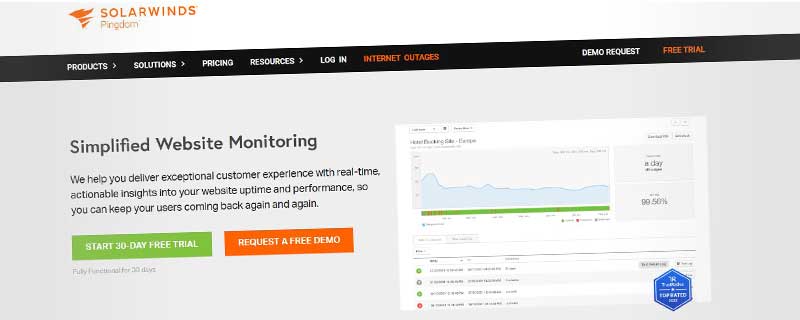
Pingdom is a leading website monitoring and performance optimization platform owned by SolarWinds, trusted by over 700,000 users worldwide to monitor millions of websites and applications. Founded in 2005, Pingdom pioneered comprehensive uptime and performance monitoring, combining synthetic monitoring, real user monitoring (RUM), and transaction monitoring into a unified platform. Unlike basic uptime checkers, Pingdom provides deep insights into website performance, page speed, user experience, and infrastructure health from 100+ monitoring locations worldwide. With its intuitive dashboard, powerful alerting system, and detailed analytics, Pingdom helps businesses maintain high availability, optimize performance, and deliver exceptional user experiences across all digital channels.
What sets Pingdom apart is its holistic approach to website monitoring and performance. While many tools focus solely on uptime, Pingdom monitors everything that affects user experience: uptime, page speed, DNS resolution, SSL certificates, API performance, transaction flows, and real user behavior. The platform checks your website every minute from global locations, providing instant alerts when issues occur and detailed root cause analysis to help you fix problems quickly. Whether you're running a simple blog, complex e-commerce site, or mission-critical SaaS application, Pingdom's comprehensive monitoring ensures you know exactly how your site performs for users around the world, enabling proactive optimization and minimal downtime.
Comprehensive Monitoring Types
Pingdom offers multiple monitoring types to cover all aspects of your digital presence:
- Uptime Monitoring: HTTP/HTTPS checks from 100+ global locations with 1-minute intervals
- Real User Monitoring (RUM): Track actual visitor experiences with page load times and geographic data
- Transaction Monitoring: Multi-step user flows like login, checkout, and form submissions
- Page Speed Monitoring: Detailed waterfall analysis of page load performance
- API Monitoring: REST and GraphQL API endpoint health and response times
- DNS Monitoring: Monitor DNS resolution time and detect DNS issues
- SSL Certificate Monitoring: Track certificate expiration and validity
- Server Monitoring: Monitor server resources, processes, and infrastructure health
Global Monitoring Network
Pingdom's extensive monitoring infrastructure ensures comprehensive global coverage:
- 100+ Monitoring Locations: Distributed across North America, Europe, Asia, South America, Australia, Africa
- Multiple Cloud Providers: AWS, Azure, Google Cloud, and dedicated infrastructure
- 1-Minute Check Intervals: Frequent monitoring for rapid issue detection (30-second on Enterprise)
- Multi-Location Verification: Confirm downtime from multiple locations before alerting
- IPv4 and IPv6 Support: Monitor both protocol versions
- Custom Locations: Choose specific regions most relevant to your users
- Private Location Monitoring: Monitor internal services behind firewalls (Enterprise)
Advanced Alert Management
Sophisticated alerting system to ensure the right people know about issues immediately:
- Email Alerts: Unlimited email notifications to multiple recipients
- SMS Alerts: Text message notifications for critical incidents
- Phone Call Alerts: Voice alerts for high-priority issues
- Slack Integration: Real-time notifications in Slack channels
- PagerDuty: Integration with on-call management and escalation
- Webhook Notifications: Custom integrations with any service
- Microsoft Teams: Alerts directly in Teams channels
- VictorOps/Splunk On-Call: Incident management integration
- Alert Escalation: Multi-level escalation if issues aren't acknowledged
- Custom Alert Rules: Configure when and how alerts are sent based on severity
- Maintenance Windows: Schedule maintenance to pause alerts
- Smart Alerting: Reduce alert fatigue with intelligent filtering
Real User Monitoring (RUM)
Understand how real visitors experience your website:
- Actual User Data: Collect performance metrics from real browser sessions
- Page Load Times: Track full page load, DOM ready, and render times
- Geographic Breakdown: See performance by country, region, and city
- Browser Analysis: Performance metrics by browser type and version
- Device Insights: Desktop vs mobile vs tablet performance
- Connection Type: Performance by connection speed (2G, 3G, 4G, WiFi)
- User Journey Tracking: Follow visitor paths through your site
- Apdex Scoring: Application Performance Index for user satisfaction
- Resource Timing: Detailed timing for all page resources
Page Speed and Performance Analysis
Deep insights into page load performance and optimization opportunities:
- Waterfall Charts: Visual timeline of all resources loading
- Performance Grades: Automated scoring based on best practices
- Load Time Breakdown: DNS, Connect, SSL, Wait, Receive timing
- Resource Analysis: Identify large files slowing down pages
- Optimization Recommendations: Actionable suggestions to improve speed
- Historical Trending: Track performance improvements over time
- Mobile Performance: Test from mobile networks and devices
- Third-Party Impact: Measure external service effects on performance
- Content Delivery Analysis: Evaluate CDN effectiveness
Transaction Monitoring
Monitor complex multi-step user workflows to ensure critical paths work:
- Multi-Step Scenarios: Script login, checkout, registration flows
- Form Submissions: Test contact forms, searches, submissions
- Shopping Cart Flows: Monitor add-to-cart through checkout
- Authentication Tests: Verify login and session management
- API Workflows: Test API sequences and dependencies
- Custom Scripts: Write JavaScript to test any user flow
- Variable Injection: Use dynamic data in transactions
- Step-Level Reporting: See which step fails in a flow
- Transaction Timing: Measure time for complete workflows
Detailed Reporting and Analytics
Comprehensive data visualization and reporting for stakeholders:
- Uptime Reports: Historical uptime percentages (daily, weekly, monthly, yearly)
- Performance Reports: Response time trends and statistics
- Downtime Analysis: Root cause identification for incidents
- SLA Reporting: Track service level agreement compliance
- Custom Dashboards: Create views for different teams and stakeholders
- Scheduled Reports: Automated email reports on custom schedules
- Executive Summaries: High-level overviews for management
- Detailed Incident Logs: Complete history of all issues with timestamps
- Comparison Tools: Compare performance across time periods
- Data Export: Export data to CSV, JSON, or PDF
Public Status Pages
Communicate transparently with customers during incidents:
- Branded Status Pages: Custom domain and company branding
- Real-Time Updates: Automatic incident posting and resolution
- Subscriber Notifications: Email and SMS alerts for subscribers
- Maintenance Scheduling: Announce planned maintenance windows
- Component Status: Show status of individual services
- Incident Timeline: Detailed incident history and updates
- Uptime Metrics: Display historical uptime percentages
- Multi-Language Support: Status pages in multiple languages
- Custom CSS: Full styling control for brand consistency
- Status Badges: Embeddable status indicators for websites
Integration Ecosystem
Connect Pingdom with your existing tools and workflows:
- Slack: Bidirectional integration with rich incident details
- PagerDuty: On-call scheduling and escalation management
- VictorOps/Splunk: Incident response platform integration
- Webhooks: Send data to any custom endpoint
- Microsoft Teams: Alerts and notifications in Teams
- Opsgenie: Alert management and on-call scheduling
- ServiceNow: ITSM integration for enterprise workflows
- Zapier: Connect with 3,000+ apps and services
- HipChat/Stride: Team communication platform alerts
- Custom Integrations: Build with comprehensive API
Powerful REST API
Programmatic access to all Pingdom features and data:
- Full CRUD Operations: Create, read, update, delete checks
- Real-Time Data: Fetch current status and performance metrics
- Historical Data: Query uptime and performance history
- Alert Management: Configure contacts and alert policies via API
- Reporting API: Generate custom reports programmatically
- Maintenance Windows: Schedule maintenance via API
- Rate Limiting: Generous limits for enterprise usage
- Webhook Management: Configure webhooks programmatically
- API Documentation: Comprehensive docs with examples
- SDKs Available: Official and community libraries for popular languages
Server Monitoring
Monitor server infrastructure and resources alongside websites:
- CPU Monitoring: Track CPU usage and load averages
- Memory Monitoring: RAM usage and available memory
- Disk Monitoring: Disk space and I/O metrics
- Process Monitoring: Ensure critical processes are running
- Network Monitoring: Bandwidth usage and network activity
- Custom Metrics: Monitor application-specific metrics
- Linux and Windows: Support for both operating systems
- Agent-Based: Lightweight agents for detailed insights
- Alert Thresholds: Configure custom thresholds for resources
Security and Compliance
Enterprise-grade security and compliance features:
- SSL/TLS Monitoring: Verify certificate validity and expiration
- Security Headers: Check for security best practices
- IP Whitelisting: Identify Pingdom probe IPs for firewall rules
- Two-Factor Authentication: Secure account access with 2FA
- Role-Based Access: Control user permissions and access levels
- Audit Logs: Track all account changes and activities
- SOC 2 Compliance: SolarWinds SOC 2 Type II certified
- GDPR Compliant: Data handling meets GDPR requirements
- Data Encryption: All data encrypted in transit and at rest
Team Collaboration
Enable effective teamwork and incident response:
- Multi-User Accounts: Unlimited team members on higher plans
- Role-Based Permissions: Admin, User, View-Only access levels
- Team Dashboards: Shared views for monitoring teams
- Alert Distribution: Route alerts to specific team members
- On-Call Schedules: Integrate with PagerDuty/VictorOps for rotations
- Incident Comments: Collaborate on incident resolution
- Activity Feed: See team actions and check changes
- Shared Reports: Create and share reports across team
Mobile Applications
Monitor on the go with native mobile apps:
- iOS App: Full-featured iPhone and iPad application
- Android App: Complete monitoring from Android devices
- Push Notifications: Instant mobile alerts for incidents
- Real-Time Dashboard: View all checks and current status
- Incident Management: Acknowledge and resolve from mobile
- Historical Data: Access uptime and performance history
- Check Management: Pause, resume, and edit checks
- Offline Access: View cached data when offline
Pricing Plans
Flexible pricing to match your monitoring needs and budget:
Starter Plan - $10/month:
- 10 uptime checks with 1-minute intervals
- Monitoring from all 100+ global locations
- Unlimited SMS alerts
- Basic uptime monitoring features
- Email and SMS notifications
- 1-month data retention
Advanced Plan - $35/month:
- 50 uptime checks with 1-minute intervals
- Page Speed Monitoring (100 checks/month)
- Real User Monitoring (100k page views/month)
- Transaction monitoring (5 scenarios)
- Public status pages
- Priority support
- 3-month data retention
Professional Plan - $71/month:
- 250 uptime checks with 1-minute intervals
- Unlimited Page Speed checks
- RUM up to 2M page views/month
- 50 transaction monitoring scenarios
- Multi-user support (up to 10 users)
- Advanced integrations
- 1-year data retention
Business Plan - $239/month:
- 2,500 uptime checks with 1-minute intervals
- Unlimited Page Speed and RUM
- Unlimited transaction monitoring
- Unlimited team members
- Root cause analysis
- SLA reporting
- Priority phone support
- 3-year data retention
Enterprise - Custom pricing:
- Custom check limits and intervals (30-second checks)
- Private monitoring locations
- Dedicated account manager
- Custom SLA and support agreements
- Volume discounts available
- Unlimited data retention
Use Cases and Applications
Pingdom serves diverse monitoring needs across industries:
- E-commerce Websites: Monitor checkout, payment gateways, and shopping cart functionality
- SaaS Applications: Ensure application uptime and API availability for customers
- Media and Publishing: Track website performance and content delivery
- Financial Services: Monitor critical transactions and secure portals
- Healthcare: Ensure patient portals and telemedicine platforms stay available
- Enterprise IT: Monitor internal services, APIs, and infrastructure
- Digital Agencies: Manage monitoring for multiple client websites
- WordPress Sites: Monitor WordPress site performance and uptime
Documentation and Support
Comprehensive resources and support options:
- Knowledge Base: Extensive documentation covering all features
- Video Tutorials: Step-by-step guides for common tasks
- API Documentation: Complete API reference with examples
- Email Support: Responsive support team (24/7 on higher plans)
- Phone Support: Priority phone support on Business and Enterprise
- Live Chat: Real-time chat support during business hours
- Webinars: Regular training sessions and best practices
- Community Forum: User community for questions and tips
- Status Page: Monitor Pingdom's own service status
Ideal For
Pingdom is perfect for businesses that need comprehensive monitoring beyond basic uptime checks. It's ideal for e-commerce sites where performance directly impacts revenue, SaaS companies maintaining high availability SLAs, digital agencies managing multiple client sites, enterprises requiring detailed performance analytics and root cause analysis, development teams optimizing application performance, and growing businesses needing to scale monitoring as they expand. With its combination of uptime monitoring, Real User Monitoring, transaction monitoring, and page speed analysis, Pingdom provides the complete visibility needed to maintain excellent user experiences. Whether you're monitoring a single critical application or hundreds of sites across a global infrastructure, Pingdom delivers the insights, alerts, and analytics needed to keep your digital services running smoothly and performing optimally for users worldwide.
ℹ️ Information Accuracy Notice
While we strive to keep all information about this resource accurate and up-to-date, details such as pricing, features, and availability may change. We encourage you to always verify the information directly on the official website before making any decisions or purchases. Our goal is to help you discover great tools, not to misrepresent any products or services.
Pingdom Features
Detailed specifications and capabilities of this resource.
Monitor Types
Check Interval
Monitor Limit
SSL Monitoring
Port Monitoring
Keyword Monitoring
HTTP(S) Monitoring
Ping Monitoring
DNS Monitoring
Monitoring Locations
Geographic Distribution
Alert Channels
Email Alerts
SMS Alerts
Webhook Support
Phone Call Alerts
Slack Integration
Alert Escalation
Status Pages
Custom Domain Status Page
Expert Rating
Expert rating based on features, performance, and value
Pros & Cons
Pros
Cons
Do you recommend Pingdom?
Related Resources

StatusCake
StatusCake provides comprehensive website and server monitoring including uptime, page speed, SSL, domain, and server monitoring from 43 global locations. Trusted by 120,000+ customers including Netflix and IBM, with zero false positives guarantee.

UptimeRobot
Popular free uptime monitoring service with 50 monitors, 5-minute checks, and instant alerts via email, SMS, Slack, and 10+ channels for websites, servers, and APIs.
Resource Information
- Category
- Uptime Monitoring
- Brand
- Pingdom
- Pricing
- PAID
- Last Updated
- 2026-01-13Recently