Affiliate Disclosure: Some links on this page are affiliate links. When you click on these links and make a purchase, we may receive a commission at no additional cost to you. This helps support our platform. Our recommendations are based on quality and value, not commission rates. Learn more
UptimeRobot
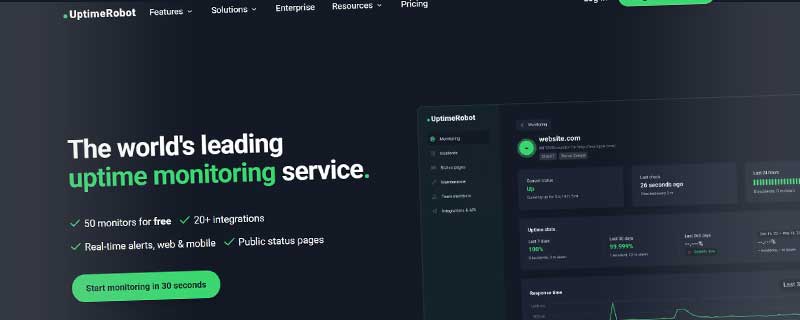
FeaturedVerifiedPopular free uptime monitoring service with 50 monitors, 5-minute checks, and instant alerts via email, SMS, Slack, and 10+ channels for websites, servers, and APIs.

UptimeRobot
This resource is developed by UptimeRobot
About UptimeRobot
UptimeRobot is one of the world's most popular website monitoring services, trusted by over 2 million users to monitor more than 1.5 million websites and servers. Founded in 2010, UptimeRobot pioneered free uptime monitoring with a generous free tier that includes 50 monitors and 5-minute check intervals, making professional-grade uptime monitoring accessible to everyone from solo developers to large enterprises. The platform monitors HTTP(S), ping, port, and keyword endpoints from multiple global locations, sending instant alerts via email, SMS, Slack, webhooks, and 10+ other channels when downtime occurs. With its clean interface, powerful API, and public status page feature, UptimeRobot has become the go-to solution for ensuring website availability and maintaining customer trust.
What sets UptimeRobot apart is its simplicity combined with powerful features that scale from hobby projects to enterprise infrastructure. Unlike complex monitoring solutions requiring extensive setup, UptimeRobot lets you add monitors in seconds—simply enter a URL and start receiving uptime data immediately. The service checks your endpoints every 1-5 minutes depending on your plan, detecting downtime within seconds and sending alerts through your preferred channels. Public status pages let you communicate transparently with customers during incidents, while detailed uptime statistics, response time graphs, and downtime logs help you identify patterns and optimize performance. Whether you're monitoring a simple blog or managing hundreds of microservices, UptimeRobot provides reliable monitoring without the complexity or cost of enterprise solutions.
Monitor Types and Coverage
UptimeRobot supports comprehensive monitoring across different protocols and services:
- HTTP(S) Monitoring: Monitor websites and APIs with custom headers and authentication
- Keyword Monitoring: Verify specific content exists on pages (detect silent failures)
- Ping Monitoring: ICMP ping checks for servers and network devices
- Port Monitoring: Monitor specific TCP/UDP ports (MySQL, Redis, custom services)
- Heartbeat Monitoring: Monitors that expect regular pings (cron jobs, scheduled tasks)
- SSL Certificate Monitoring: Track expiration dates and validity of SSL certificates
- DNS Monitoring: Verify DNS resolution and check for DNS issues
Check Intervals and Monitoring Frequency
Flexible check intervals to match your monitoring needs and budget:
- Free Plan: 5-minute checks for up to 50 monitors
- Pro Plan: 1-minute checks for faster downtime detection
- Enterprise Plan: 30-second checks for critical infrastructure
- Custom Intervals: Set different intervals per monitor based on criticality
- Smart Verification: Multiple location checks before confirming downtime (reduces false positives)
Global Monitoring Locations
Monitor from multiple geographic locations for comprehensive coverage:
- 20+ Monitoring Locations: Distributed across North America, Europe, Asia, Australia
- Geographic Distribution: Test from locations closest to your users
- Multi-Location Verification: Confirm downtime from multiple locations simultaneously
- Region Selection: Choose specific regions for location-based monitoring
- Latency Tracking: Measure response times from different geographic locations
Alert Channels and Notifications
Receive downtime alerts through your preferred communication channels:
- Email Alerts: Unlimited email notifications on all plans
- SMS Alerts: Text message notifications (credits required, Pro/Enterprise)
- Phone Call Alerts: Voice call notifications for critical incidents (Enterprise)
- Slack Integration: Send alerts to Slack channels
- Telegram: Instant notifications via Telegram bot
- Discord: Alert webhooks for Discord servers
- Microsoft Teams: Integration with Teams channels
- PagerDuty: Integrate with on-call management systems
- Webhooks: Custom webhooks for any third-party service
- Zapier/IFTTT: Connect with 1000+ apps through automation platforms
Advanced Alert Configuration
Fine-tune alert behavior to reduce noise and improve response:
- Alert Contacts: Multiple contact points with different alert preferences
- Alert Thresholds: Set custom thresholds before triggering alerts
- Alert Escalation: Multi-level escalation for unacknowledged incidents (Enterprise)
- Alert Grouping: Group related monitors for consolidated alerts
- Maintenance Windows: Pause alerts during scheduled maintenance
- Custom Alert Messages: Personalize alert content with variables
- Alert Delays: Wait before sending alerts to avoid false positives
Status Pages
Communicate uptime and incidents transparently with public status pages:
- Public Status Pages: Free hosted status pages on uptimerobot.com subdomain
- Custom Domain: Use your own domain for status pages (Pro/Enterprise)
- Branded Pages: Customize with your logo, colors, and messaging
- Multiple Pages: Create separate status pages for different services
- Incident Timeline: Automatic incident logging with timestamps
- Scheduled Maintenance: Display planned maintenance windows
- Subscriber Notifications: Email/SMS updates for status page subscribers
- Status Badges: Embeddable badges for documentation or dashboards
- RSS Feeds: Subscribe to status updates via RSS
Uptime Statistics and Reporting
Comprehensive data and insights about your service availability:
- Uptime Percentage: Real-time uptime calculations (daily, weekly, monthly, yearly)
- Response Time Graphs: Historical response time visualization
- Downtime Logs: Detailed logs of every downtime incident with duration
- Performance Metrics: Average response times, slowest periods
- SLA Reporting: Track SLA compliance and generate reports
- Data Retention: 90 days on Free, 1+ years on Pro, unlimited on Enterprise
- Export Options: Export data to CSV, JSON, or via API
- Custom Date Ranges: Analyze specific time periods
API Access
Powerful REST API for automation and integration:
- Full API Access: Create, read, update, delete monitors programmatically
- Real-Time Data: Fetch current status and uptime statistics
- Alert Management: Configure alert contacts via API
- Status Pages: Create and manage status pages through API
- Webhooks: Receive real-time notifications via webhooks
- API Libraries: Community-built libraries for Python, PHP, Node.js, Ruby
- Rate Limits: Generous limits for API calls
Team Collaboration
Collaborate with team members on monitoring and incident response:
- Multi-User Access: Add team members with different permission levels (Pro/Enterprise)
- Role-Based Permissions: Admin, Edit, Read-only access levels
- Shared Dashboards: Team-wide view of all monitors
- Alert Routing: Route alerts to specific team members based on monitor
- Activity Logs: Track changes and actions by team members (Enterprise)
- On-Call Schedules: Integrate with PagerDuty for rotation management
Advanced Monitoring Features
Additional capabilities for complex monitoring requirements:
- Custom HTTP Headers: Add authentication, API keys, custom headers
- POST Requests: Monitor APIs that require POST data
- Basic Auth: Monitor password-protected endpoints
- Keyword Checks: Multiple keyword/phrase monitoring per page
- Regex Support: Advanced pattern matching for content verification
- Response Code Monitoring: Alert on specific HTTP status codes
- SSL Expiration Alerts: Warnings before certificates expire
- Port Ranges: Monitor multiple ports on same host
Integrations and Ecosystem
Connect UptimeRobot with your existing tools and workflows:
- Slack: Native integration with channel notifications
- PagerDuty: On-call management and escalation
- Zapier: Connect with 3,000+ apps and automate workflows
- IFTTT: Create custom automation recipes
- Discord/Telegram: Instant messaging platform integrations
- Microsoft Teams: Enterprise communication platform alerts
- Webhooks: Custom integrations with any service
- Status Page Widgets: Embed status in your website/app
Mobile Applications
Monitor on the go with native mobile apps:
- iOS App: Native iPhone and iPad application
- Android App: Full-featured Android monitoring app
- Push Notifications: Instant mobile alerts for downtime
- Monitor Management: Add, edit, pause monitors from mobile
- Real-Time Dashboard: View current status of all monitors
- Response Time Graphs: Mobile-optimized performance charts
Security and Reliability
Enterprise-grade security and platform reliability:
- 99.99% Uptime: Highly reliable monitoring infrastructure
- SSL Encryption: All data transmitted over HTTPS
- Two-Factor Authentication: Secure account access with 2FA
- IP Whitelisting: Identify UptimeRobot IPs for firewall rules
- Data Privacy: GDPR compliant data handling
- Redundant Infrastructure: Multiple monitoring servers for reliability
Pricing Tiers
Flexible plans from free to enterprise scale:
- Free Plan ($0): 50 monitors, 5-minute checks, unlimited email alerts, 2-month logs, public status pages
- Pro Plan ($7/month): 50 monitors, 1-minute checks, SMS credits, custom domain status pages, 1-year logs, priority support
- Pro Plus ($15/month): 100 monitors, all Pro features, more SMS credits
- Enterprise ($29/month): 200 monitors, 30-second checks, phone alerts, multi-user, unlimited logs, advanced features
- Enterprise Plus ($69/month): 500 monitors, all Enterprise features, dedicated support
- Custom Plans: Available for 1000+ monitors and special requirements
Documentation and Support
Comprehensive resources for learning and troubleshooting:
- Knowledge Base: Extensive documentation covering all features
- Video Tutorials: Step-by-step guides for common tasks
- API Documentation: Complete API reference with examples
- Email Support: Responsive support team (faster on paid plans)
- Blog: Best practices, tutorials, and monitoring tips
- Status Page: Real-time UptimeRobot platform status
- Community Forum: User discussions and feature requests
Use Cases and Ideal For
UptimeRobot serves diverse monitoring needs across industries:
- Website Monitoring: Track uptime for blogs, portfolios, business sites
- E-commerce: Ensure shopping cart and checkout availability
- SaaS Applications: Monitor web apps and APIs for customer satisfaction
- Server Monitoring: Track server availability and port accessibility
- API Monitoring: Verify REST and GraphQL API endpoints
- Cron Job Monitoring: Heartbeat monitoring for scheduled tasks
- SSL Certificate Tracking: Prevent certificate expiration issues
Ideal For
UptimeRobot is perfect for anyone needing reliable uptime monitoring without complexity or high costs. It's ideal for developers and startups benefiting from the generous free tier (50 monitors), businesses requiring professional monitoring at affordable prices ($7-29/month), agencies managing multiple client websites with separate status pages, e-commerce sites where downtime directly impacts revenue, SaaS companies maintaining high availability SLAs, freelancers monitoring client projects and providing transparency, and enterprises needing scalable monitoring for hundreds of endpoints. With its combination of ease of use, powerful features, extensive alert channels, and public status pages, UptimeRobot delivers professional-grade monitoring accessible to everyone. The platform scales from hobby projects to enterprise infrastructure while maintaining simplicity—add a monitor in seconds, receive instant downtime alerts, and maintain customer trust with transparent status communication. Whether you're monitoring a single blog or managing complex microservices architecture, UptimeRobot provides the reliability and insights needed to keep your services running smoothly.
ℹ️ Information Accuracy Notice
While we strive to keep all information about this resource accurate and up-to-date, details such as pricing, features, and availability may change. We encourage you to always verify the information directly on the official website before making any decisions or purchases. Our goal is to help you discover great tools, not to misrepresent any products or services.
UptimeRobot Features
Detailed specifications and capabilities of this resource.
Monitor Types
Check Interval
Monitor Limit
SSL Monitoring
Port Monitoring
Keyword Monitoring
HTTP(S) Monitoring
Ping Monitoring
DNS Monitoring
Monitoring Locations
Geographic Distribution
Alert Channels
Email Alerts
SMS Alerts
Webhook Support
Phone Call Alerts
Slack Integration
Alert Escalation
Status Pages
Custom Domain Status Page
Expert Rating
Expert rating based on features, performance, and value
Pros & Cons
Pros
Cons
Do you recommend UptimeRobot?
Related Resources

StatusCake
StatusCake provides comprehensive website and server monitoring including uptime, page speed, SSL, domain, and server monitoring from 43 global locations. Trusted by 120,000+ customers including Netflix and IBM, with zero false positives guarantee.

Pingdom
Comprehensive website monitoring platform with uptime checks, Real User Monitoring, transaction monitoring, and performance analysis from 100+ global locations.
Resource Information
- Category
- Uptime Monitoring
- Brand
- UptimeRobot
- Pricing
- FREEMIUM
- Last Updated
- 2026-01-13Recently